
AI Video
What Is the Most Popular AI Video Generator for Music Videos?
If you’re looking for the most popular AI video generator for music videos, the practical answer is usually the one that can turn a strong visual idea…

If you’re looking for the most popular AI video generator for music videos, the practical answer is usually the one that can turn a strong visual idea into a short, polished clip quickly, reliably, and in a format you can actually use. For short music video segments, Seedance 2.0 AI Video Generator stands out as a strong option because it supports text-to-video and image-to-video, renders up to 1080p, and produces clips up to 15 seconds as MP4 files.
That makes it especially useful for music-video-style visuals such as intros, transitions, loops, teasers, and short performance cuts. This article explains what that means in practice, what Seedance 2.0 can do, and how to decide whether it fits your music video workflow.
1. What makes an AI video generator “popular” for music videos?
Conclusion: The most useful AI video generator for music videos is not necessarily the one with the longest output; it is the one that is easiest to use for short, visually strong clips.
Music videos often need fast turnaround, striking visuals, and repeatable experimentation. A generator becomes popular for this use case when it helps creators produce short scenes from either a prompt or a reference image, because music-video content is often built from many brief visual moments rather than one long continuous shot.
Why this matters
For music videos, creators usually care about:
- Short, attention-grabbing scenes
- Visual consistency with a song’s mood
- Simple iteration from prompt to output
- Exporting clips in a standard format like MP4
Practical advice
If you are choosing a tool for music video work, prioritize:
- Text-to-video for fast concept generation
- Image-to-video for animating cover art, frames, or storyboards
- Short duration support for clip-based editing
- Clear resolution options for social and playback needs
2. Why Seedance 2.0 is a strong choice for music-video clips
Conclusion: Seedance 2.0 is a practical AI video generator for music-video-style content because it focuses on short-form production rather than long-form promises.
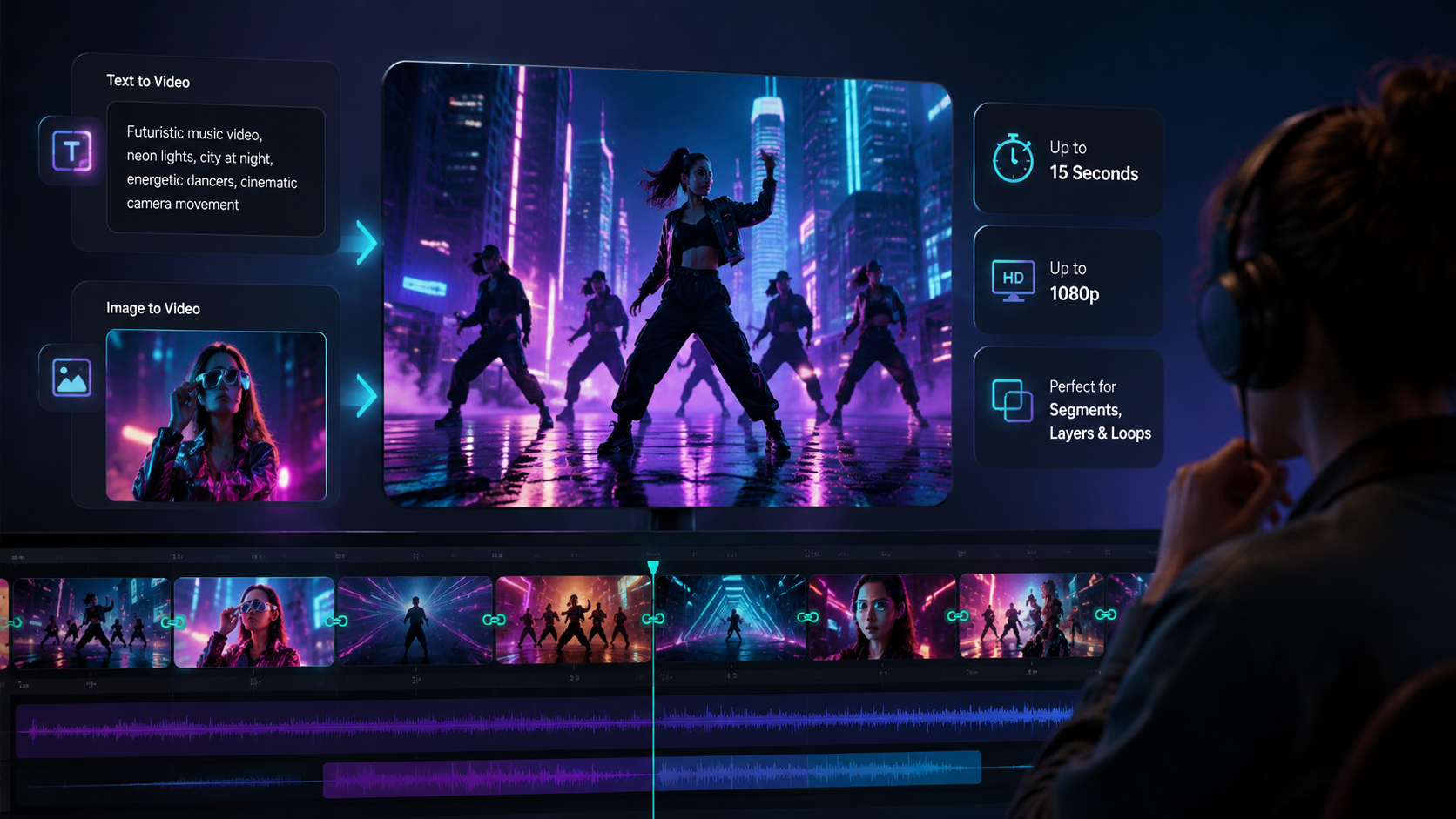
According to the available product information, Seedance 2.0 lets users create short AI videos from either text or a reference image. It supports up to 15 seconds and up to 1080p resolution in the current web app. That is a good fit for music-video segments that need to be cut, layered, or looped into a final edit.
Key capabilities
| Feature | What it supports | Why it helps music videos |
|---|---|---|
| Text to video | Generate a clip from a prompt | Good for visual ideas, moods, or abstract scenes |
| Image to video | Animate from one reference image | Useful for album art, posters, or storyboard frames |
| Resolution | 480p, 720p, 1080p | Gives flexibility for preview or final use |
| Duration | Up to 15 seconds | Fits short music-video shots and transitions |
| Export format | MP4 | Easy to edit in standard video software |
Practical advice
Use Seedance 2.0 when you want to:
- Build a visual intro for a track
- Create short atmosphere shots
- Animate a still image into a moving clip
- Test multiple looks before final editing
3. What Seedance 2.0 can and cannot do
Conclusion: Seedance 2.0 is best understood as a short-form visual generator, not a full music production tool.
The current app scope is focused on video rendering. It supports short clips from prompts or reference images, but audio generation is not supported. That means it does not create music, vocals, or sound design. If your workflow requires synced audio, you will need to pair the generated video with your own music in editing software.
What it can do
- Create short videos from text
- Animate a single reference image
- Output clips up to 15 seconds
- Render at up to 1080p
- Export as MP4
What it cannot do
- Generate audio
- Produce long-form videos in the current scope
- Replace a full music editing workflow
Practical advice
Plan to use Seedance 2.0 as a visual generation layer. Then:
- Generate short clips
- Import them into your editor
- Add your track manually
- Cut and arrange the shots to match the song structure
4. How to use it effectively for music videos
Conclusion: The best results come from using Seedance 2.0 for specific, short visual moments instead of trying to make one complete music video at once.
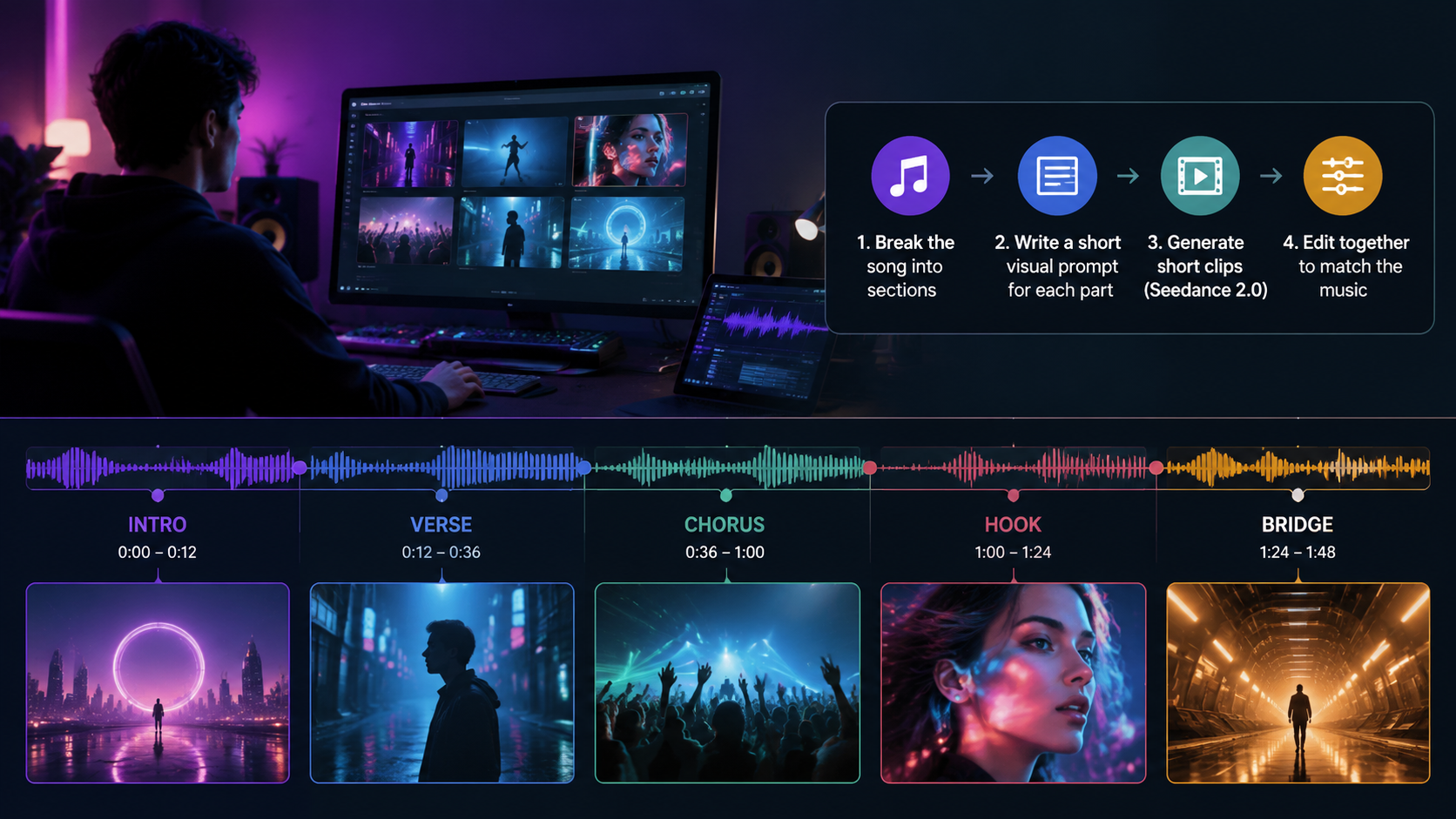
Because the tool is designed for short clips, it works well when you break a song into visual sections. This is especially useful for intros, choruses, hooks, or visual bridges.
Suggested workflow
-
Define the visual idea
Start with the mood of the song: cinematic, dreamy, fashion-forward, documentary, or experimental. -
Choose your input type
- Use text to video for fresh concepts
- Use image to video when you already have a cover image or key frame
-
Match duration to the edit Since clips can be up to 15 seconds, plan scenes that fit naturally into that window.
-
Select resolution strategically
- Use 480p or 720p for tests
- Use 1080p for higher-quality final renders when needed
-
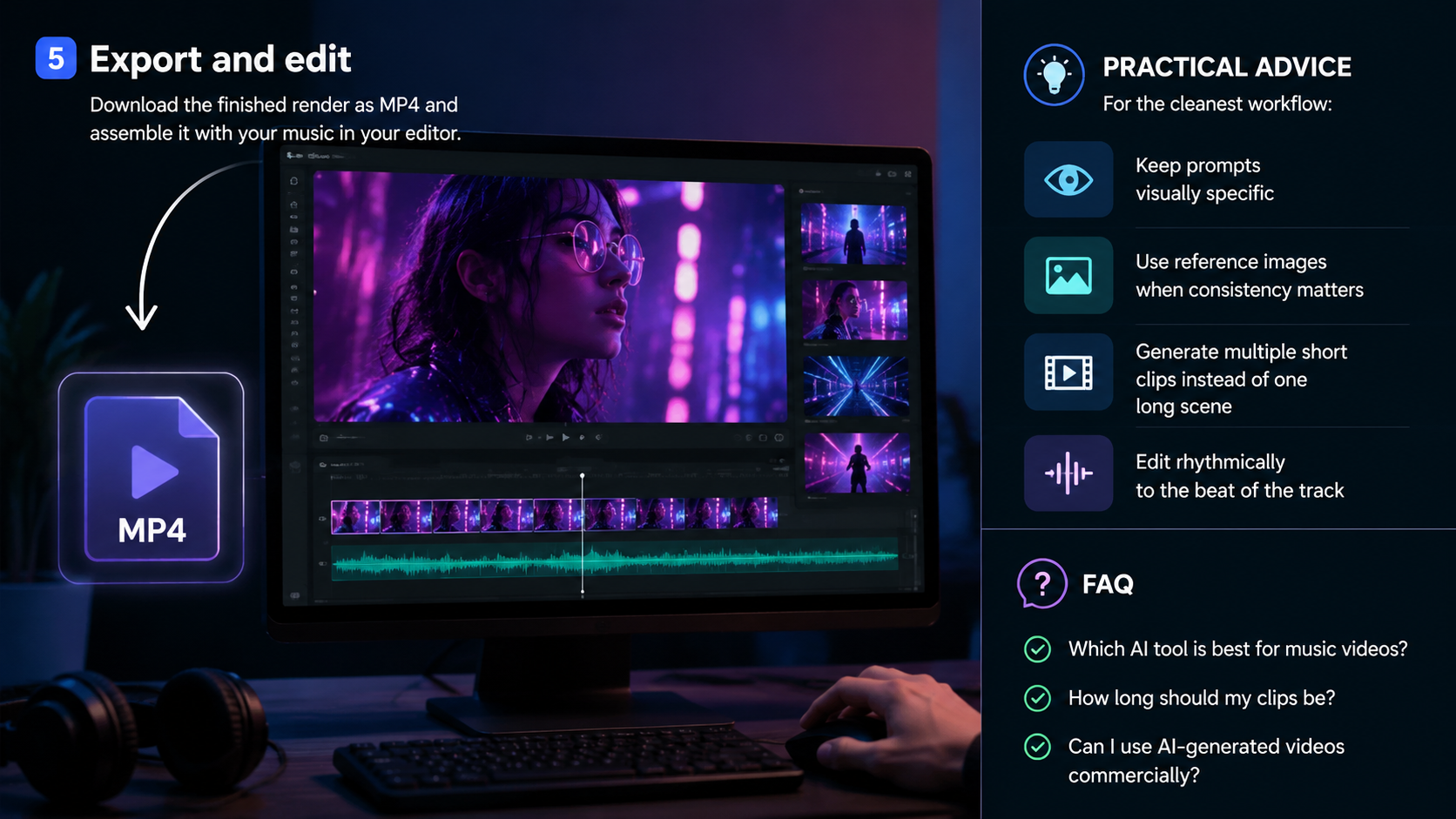
Export and edit Download the finished render as MP4 and assemble it with your music in your editor.
Practical advice
For the cleanest workflow:
- Keep prompts visually specific
- Use reference images when consistency matters
- Generate multiple short clips instead of one long scene
- Edit rhythmically to the beat of the track
FAQ
What is the most popular AI video generator for music videos?
For short music-video-style clips, Seedance 2.0 AI Video Generator is a strong and practical option because it supports text-to-video, image-to-video, up to 1080p resolution, and short clips up to 15 seconds.
Can Seedance 2.0 generate audio for a music video?
No. Audio generation is not supported. It is focused on short-form video rendering, so you should add music separately in your editing workflow.
What video formats and resolutions are available?
The current options include 480p, 720p, and 1080p, and finished renders can be downloaded as MP4.
Is Seedance 2.0 better for short clips or full music videos?
It is better for short clips. The current app scope is built for short-form production, not long-form video creation.
Can I use one image to create a music-video-style animation?
Yes. Seedance 2.0 supports image-to-video, which makes it useful for animating reference images, album art, or storyboard frames.
Conclusion
If your goal is to make music-video-style visuals quickly, the most practical AI video generator in this context is Seedance 2.0. It is well suited to short, visually focused clips because it supports text-to-video, image-to-video, up to 15 seconds, up to 1080p, and MP4 export.
The key limitation is that it does not generate audio, so it works best as part of a larger editing workflow. For creators making intros, loops, transitions, or short scenes for a music video, that is often exactly what is needed.
To try these ideas on your own material, start with Wan 2.7. Credit costs for each model are listed on the pricing page.