
AI Video
What Is the Best AI Video Generator?
If your main question is “what is the best AI video generator,” the most practical answer is: the best tool is the one that matches your workflow, output…

If your main question is “what is the best AI video generator,” the most practical answer is: the best tool is the one that matches your workflow, output length, and format needs. For short-form video, a strong option is Seedance 2.0 AI Video Generator, which is built for creating short clips from text or a reference image, with support for up to 15 seconds and 1080p output.
This article helps you evaluate what “best” means in practice, then shows where a short-form generator like Seedance 2.0 fits. Instead of vague claims, it focuses on what is actually available: resolution, duration, input types, download format, and whether audio is supported.
1) What “Best” Means in an AI Video Generator
Conclusion: The best AI video generator is not the one with the most features on paper. It is the one that best fits your content goals.
Explanation:
Different creators need different things. Some want fast text-to-video clips. Others want image-to-video animation. Some need long-form editing, while others only need short, polished clips for social media, product previews, explainers, or creative tests.
For short-form production, the important questions are:
- Can it generate from text?
- Can it animate a reference image?
- What is the maximum duration?
- What resolutions are available?
- What file format can you download?
- Does it support audio generation?
Practical advice:
Before choosing a tool, define your use case. If you only need short clips, a generator built for short-form output will usually be a better fit than a tool promising everything.
2) Why Seedance 2.0 Is a Strong Short-Form Option
Conclusion: Seedance 2.0 is a strong candidate if you want short AI videos from text or images without expecting long-form editing features.
Explanation:
Seedance 2.0 AI Video Generator is designed for creating short AI videos online and through an API. It supports:
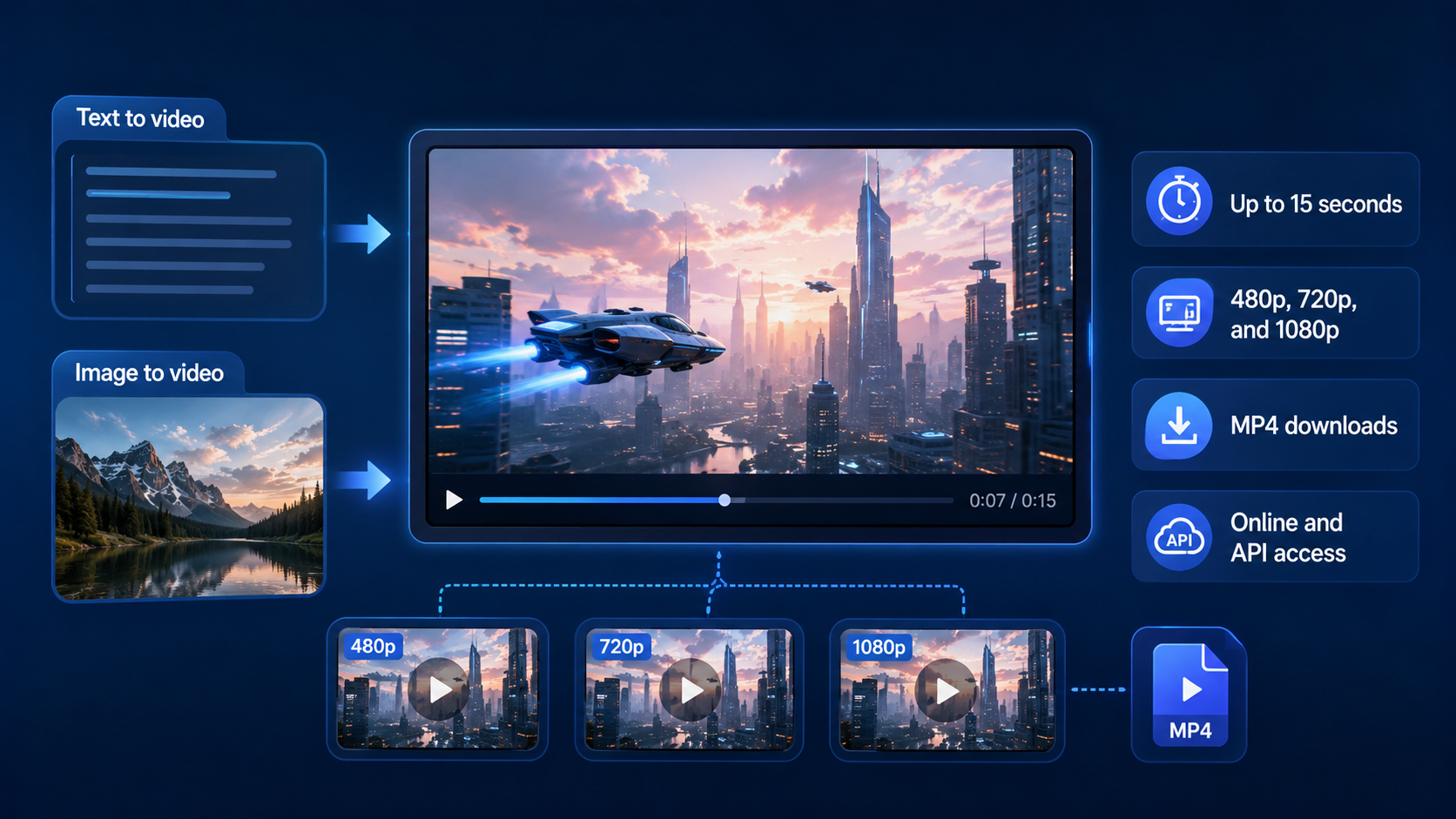
- Text to video
- Image to video
- Up to 15 seconds
- 480p, 720p, and 1080p
- MP4 downloads
It is also positioned for short-form production, which means it does not make hidden long-form promises. New users can start right away and earn credits through daily tasks.
Practical advice:
Choose this type of generator if your workflow depends on fast short clips, reference-image animation, or quick concept testing. It is especially useful when you need a clean output window rather than a full editing suite.
3) Key Features to Compare Before You Choose
Conclusion: A useful AI video generator should match your content format, delivery needs, and technical constraints.
Explanation:
Here is a simple comparison of the features that matter most:
| Feature | Seedance 2.0 Support | Why It Matters |
|---|---|---|
| Text to video | Yes | Create clips directly from prompts |
| Image to video | Yes | Animate a reference image |
| Maximum duration | 15 seconds | Best for short-form content |
| Resolution options | 480p, 720p, 1080p | Lets you balance quality and speed |
| Download format | MP4 | Easy sharing and editing |
| Audio generation | No | Important to know before planning sound-based content |
| Developer API | Yes | Useful for workflows and integration |
Practical advice:
Use this table as a checklist. If your project needs audio or longer duration, you may need another tool. If your project is short-form visual content, these features may be enough.
4) When a Short-Form Generator Is the Right Choice
Conclusion: A short-form AI video generator is best when speed, simplicity, and concise output matter more than complex production features.

Explanation:
Seedance 2.0 is built for short clips, and that makes it a good fit for several scenarios:
- Product visuals
- Documentary-style clips
- Explainer sequences
- Fashion and lifestyle content
- Entertainment snippets
- Creative extensions from a single reference image
The showcased outputs indicate that the tool is suitable for a range of short-form styles, including camera and motion replication, brand sequences, and creative templates.
Practical advice:
If your content strategy relies on frequent short clips, prioritize tools that can render quickly and consistently in a small duration window. That often matters more than trying to force a short-form generator into long-form use cases.
5) What to Know Before You Start
Conclusion: The best results come from understanding the current limitations before you generate.
Explanation:
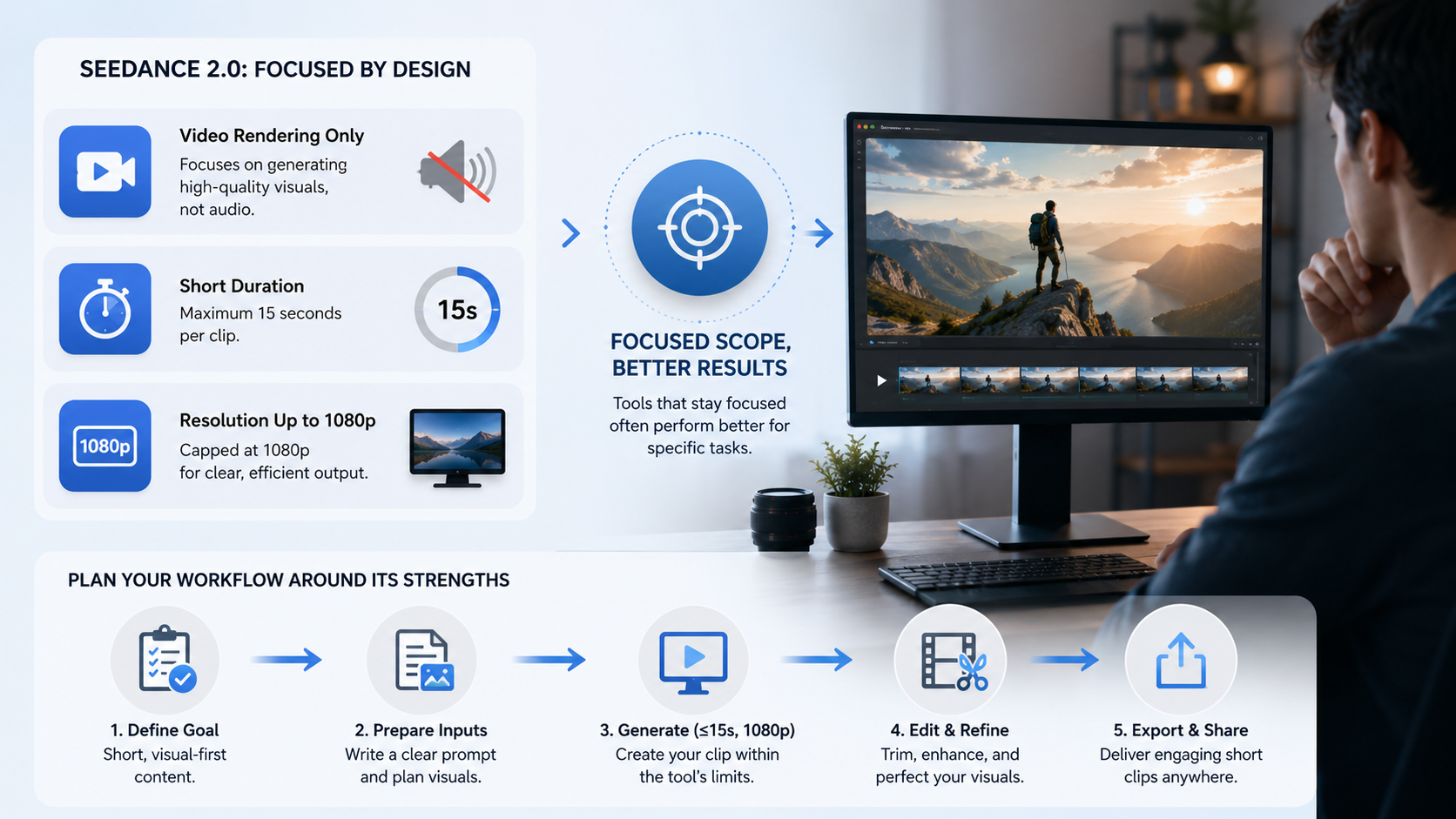
Seedance 2.0 currently focuses on video rendering, not audio generation. That means it is best used for visual-first content. It also supports only short durations, with a maximum of 15 seconds, and resolution options capped at 1080p.
That is not a weakness if your goal is short clips. It is simply a scope decision. Tools that stay focused often perform better for specific tasks.
Practical advice:
Plan your workflow around the tool’s current capabilities:
- Write concise prompts for text-to-video
- Use clear reference images for image-to-video
- Export as MP4 for downstream editing
- Keep expectations aligned with short-form output
- Add audio later in your editing process if needed
FAQ
Is Seedance 2.0 the best AI video generator?
It can be one of the best options for short-form AI video generation, especially if you need text-to-video or image-to-video in a simple workflow. The best choice still depends on your exact use case.
What video lengths does Seedance 2.0 support?
Seedance 2.0 supports videos up to 15 seconds.
What resolutions are available?
The current options are 480p, 720p, and 1080p.
Can I generate audio with it?
No. Audio generation is not supported at this time.
What format can I download?
Finished renders can be downloaded as MP4.
Conclusion
So, what is the best AI video generator? For short-form video, the best choice is the one that gives you the right balance of input flexibility, output quality, and workflow simplicity. Seedance 2.0 AI Video Generator is a strong option if you want to create short videos from text or a reference image, with support for up to 15 seconds, up to 1080p, and MP4 downloads.
If your goal is short, focused video production rather than long-form editing, this kind of tool is often the most practical answer.