
AI Video
What Is the Best AI Generator to Create Videos from Photos?
If your main goal is to turn a photo into a short video quickly and reliably, the best choice is an AI video generator that supports image-to-video…

If your main goal is to turn a photo into a short video quickly and reliably, the best choice is an AI video generator that supports image-to-video creation, offers simple controls, and produces usable short-form clips without unnecessary complexity. Based on the reference knowledge, Seedance 2.0 AI Video Generator on tikdek.com is a strong option for this use case because it lets you create short AI videos from a reference image, supports up to 1080p, and outputs MP4 files for easy sharing and editing.
This article explains what to look for in a photo-to-video AI generator, why Seedance 2.0 fits the short-form workflow, and how to choose the right tool for your project.
1) What Makes a Good AI Video Generator for Photos?
Conclusion: The best AI generator for creating videos from photos should convert a still image into a short, polished clip with minimal friction.
Explanation:
Not every video generator is designed for photo-based creation. Some tools focus on text prompts only, while others support image-to-video workflows. For users starting from a photo, the most important features are:
- Image-to-video support so you can upload or reference a photo
- Short render lengths for quick social-ready clips
- Flexible resolution options for different output needs
- Easy download format such as MP4
- Simple access without a complicated setup
A tool built for short-form production is usually a better fit than one promising long-form video generation but delivering more complexity than you need.
Practical advice:
Choose a generator that clearly states it supports reference images and short outputs. If your goal is social content, ads, or animated product visuals, prioritize speed and clarity over advanced but unnecessary features.
2) Why Seedance 2.0 Is a Strong Choice for Photo-to-Video Creation
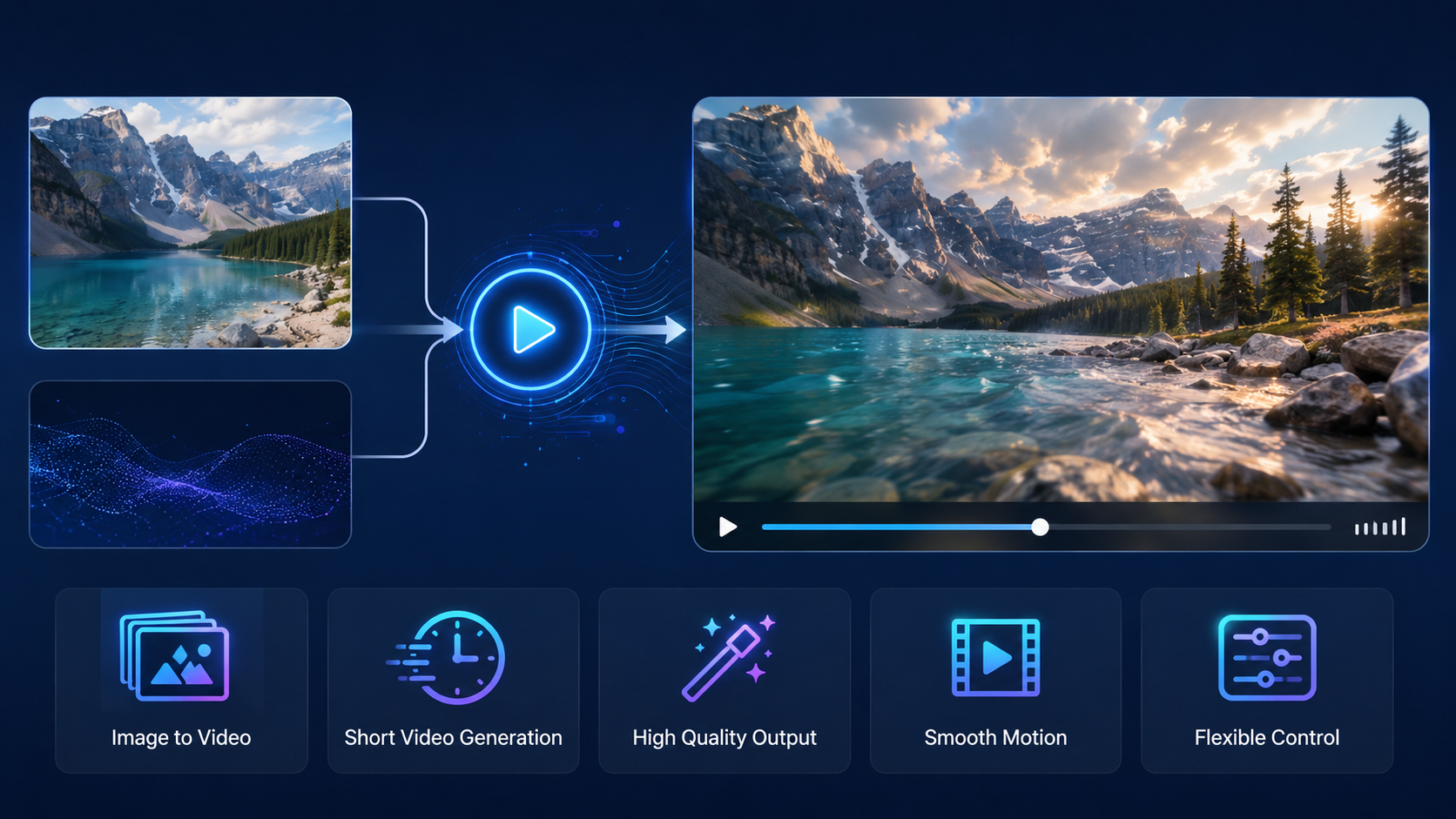
Conclusion: Seedance 2.0 stands out as a practical AI generator for creating videos from photos because it is designed specifically for short AI videos from text or a reference image.
Explanation:
According to the reference information, Seedance 2.0 supports:
- Text to video
- Image to video
- Up to 15 seconds in length
- 480p, 720p, and 1080p resolution options
- MP4 downloads
- No audio generation at the moment
- Immediate access for new users, with credits available through daily tasks
That combination makes it well-suited for creators who want to animate a photo into a concise clip rather than produce a long cinematic sequence.
It is also useful that the current web app focuses on short-form production and does not make hidden long-form promises. That makes expectations more predictable for users who need quick outputs.
Practical advice:
If you want to animate a product photo, portrait, fashion shot, or documentary-style still, Seedance 2.0 is a sensible starting point. It is especially useful when you need a short clip that can be downloaded and reused in a workflow.
3) Feature Comparison: What You Should Look For
Conclusion: When comparing AI generators for videos from photos, the key is not “most features,” but the right features for your content goal.
Explanation:
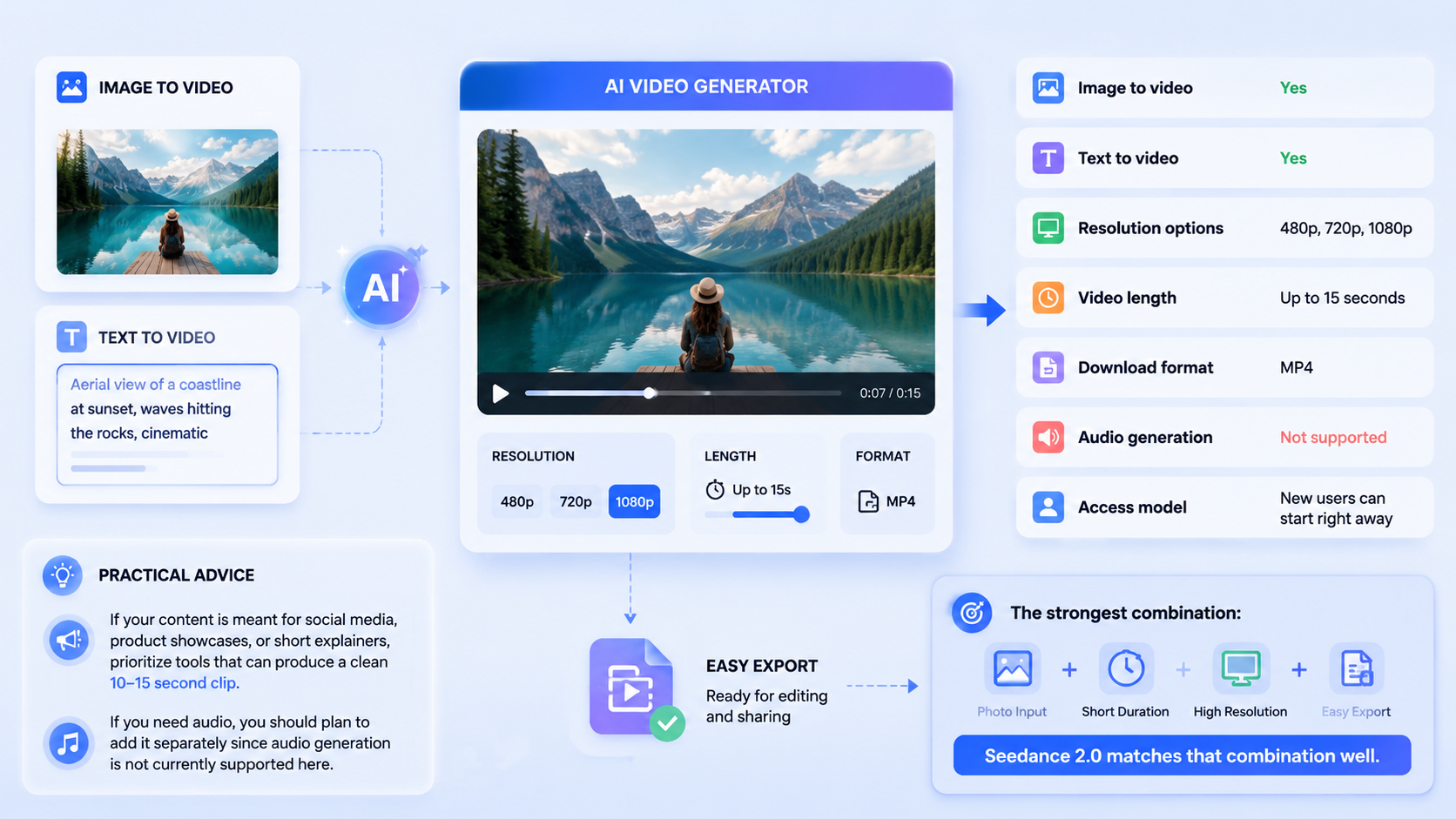
Here is a simple comparison of the most relevant capabilities for photo-to-video generation based on the reference knowledge.
| Feature | Why It Matters | Seedance 2.0 Support |
|---|---|---|
| Image-to-video | Lets you animate a photo | Yes |
| Text-to-video | Useful for generating supporting clips | Yes |
| Resolution options | Helps match different publishing needs | 480p, 720p, 1080p |
| Video length | Keeps outputs efficient for short-form use | Up to 15 seconds |
| Download format | Makes export and editing easier | MP4 |
| Audio generation | Needed if you want built-in sound | Not supported |
| Access model | Affects how quickly you can start | New users can start right away |
For many creators, the strongest combination is: photo input + short duration + high enough resolution + easy export. Seedance 2.0 matches that combination well.
Practical advice:
If your content is meant for social media, product showcases, or short explainers, prioritize tools that can produce a clean 10–15 second clip. If you need audio, you should plan to add it separately since audio generation is not currently supported here.
4) Best Use Cases for a Photo-to-Video AI Generator
Conclusion: The best AI generator for videos from photos is the one that fits your content type and delivery goal.
Explanation:
Based on the showcased output categories in the reference knowledge, Seedance 2.0 appears suitable for several short-form formats:
- Product
- Documentary
- Explainer
- Fashion
- Lifestyle
- Entertainment
These categories suggest it can handle a variety of reference-image workflows, from product motion and branding to creative storytelling and visual extension.
Because the platform is focused on short clips, it is particularly useful when the final result needs to be:
- quick to produce
- easy to export
- visually engaging
- suitable for short-form platforms or lightweight marketing assets
Practical advice:
Start with one clear photo and one clear goal. For example:
- Use a product photo if you want a commercial-style clip
- Use a portrait or lifestyle image if you want a subtle animated effect
- Use a fashion image if you want a creative, stylish short video
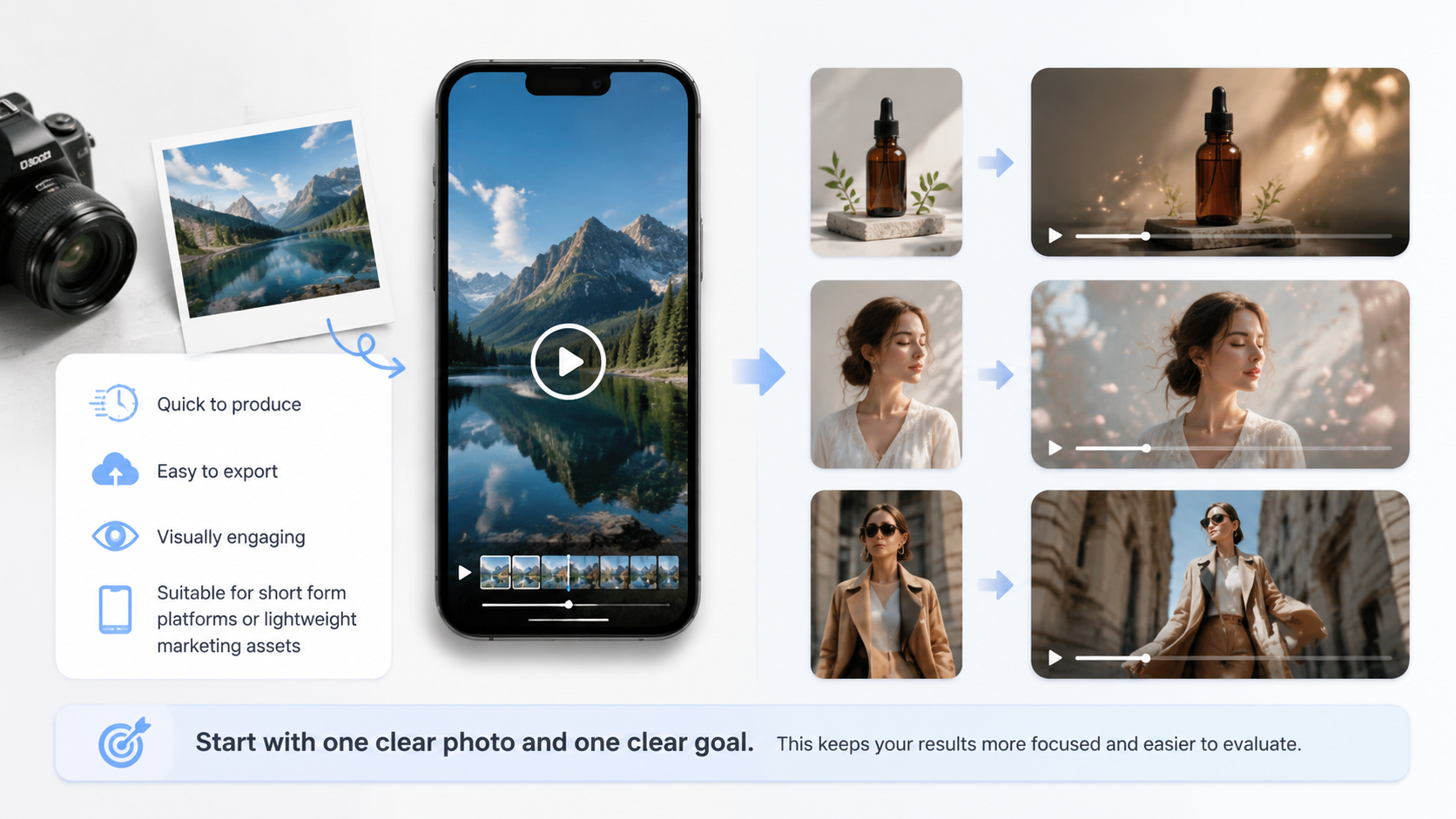
This keeps your results more focused and easier to evaluate.
FAQ
Can Seedance 2.0 create videos from photos?
Yes. The current app supports image to video, which allows you to start from one reference image and animate from there.
How long can the videos be?
Seedance 2.0 supports videos of up to 15 seconds.
What resolutions are available?
The available resolution options are 480p, 720p, and 1080p.
Can I download the final video?
Yes. Finished renders can be downloaded as MP4.
Does it generate audio too?
No. According to the reference knowledge, audio generation is not supported at this time.
Is it suitable for long videos?
It is built for short-form production, so it is best for short clips rather than long-form video.
Conclusion
If you are asking, “What is the best AI generator to create videos from photos?” the most practical answer is: choose a tool that supports image-to-video, produces short clips, and gives you simple export options. Based on the available reference information, Seedance 2.0 on tikdek.com is a strong option because it is built for short-form video creation, supports reference-image input, offers up to 1080p, and exports to MP4.
For users who want to turn a photo into a short, polished video without extra complexity, it is a highly relevant choice. If you need audio or long-form output, you may need additional tools alongside it.