
AI Video
What Is Google’s AI Video Generator Called?
If you’re trying to find the name of Google’s AI video generator, the short answer is that Google’s video generation model is commonly associated…

If you’re trying to find the name of Google’s AI video generator, the short answer is that Google’s video generation model is commonly associated with Veo. For readers comparing tools, this article also explains what that means in practice, how AI video generators usually work, and what to look for if you want a short-form video tool with clear limits and predictable output.
1) The Short Answer: Google’s AI Video Generator Is Commonly Called Veo
Conclusion: If someone asks what Google’s AI video generator is called, the name most often associated with it is Veo.
Explanation: Google has introduced AI video generation under the Veo name, which positions it as a video model for generating clips from prompts. In search and product discussions, this is the name readers are most likely looking for when they ask about Google’s AI video generator.
Practical advice:
If you are researching alternatives, compare the model name, output length, resolution, and whether the tool supports text-to-video, image-to-video, or both. That makes it easier to decide whether the product fits your workflow.
2) What an AI Video Generator Usually Does
Conclusion: An AI video generator turns prompts or reference images into short video clips.
Explanation: In practice, these tools are built for fast content creation rather than full-length filmmaking. A typical AI video generator may support:
- Text to video: Generate a clip directly from a prompt.
- Image to video: Animate from one reference image.
- Short-form output: Create concise clips for social, product, or explainer use.

This matters because the capabilities can vary a lot between products. Some tools are focused on high-quality short clips, while others try to support longer or more flexible production.
Practical advice:
Before choosing a tool, check whether it supports the exact creation mode you need. If you already have an image, image-to-video may be the fastest path. If you only have an idea, text-to-video is the better starting point.
3) A Useful Example of a Short-Form AI Video Generator
Conclusion: Some AI video generators are explicitly designed for short-form production, with clear limits on resolution and duration.
Explanation: One example is Seedance 2.0 AI Video Generator, which is described as a short AI video tool that creates videos from text or a reference image. Its current web app scope includes:
| Feature | Current Scope |
|---|---|
| Input types | Text to video, image to video |
| Maximum duration | Up to 15 seconds |
| Resolution options | 480p, 720p, 1080p |
| Download format | MP4 |
| Audio generation | Not supported |
This shows a practical pattern in AI video tools: they often focus on quick rendering and short clips rather than full cinematic workflows.

Practical advice:
If your content strategy is built around social media posts, product teasers, or explainers, a short-form generator can be a better fit than a tool promising long-form video. Look for transparent output limits so you can plan scripts and visuals accordingly.
4) How to Choose the Right AI Video Generator
Conclusion: The best tool is the one that matches your content goals, not just the most recognizable name.
Explanation: When evaluating an AI video generator, focus on the features that affect production quality and workflow:
- Input flexibility: Can it generate from text, images, or both?
- Duration limits: Does it support the clip length you need?
- Resolution: Is it suitable for your publishing platform?
- Export format: Can you download MP4 files easily?
- Audio support: Do you need video-only output, or does audio matter?
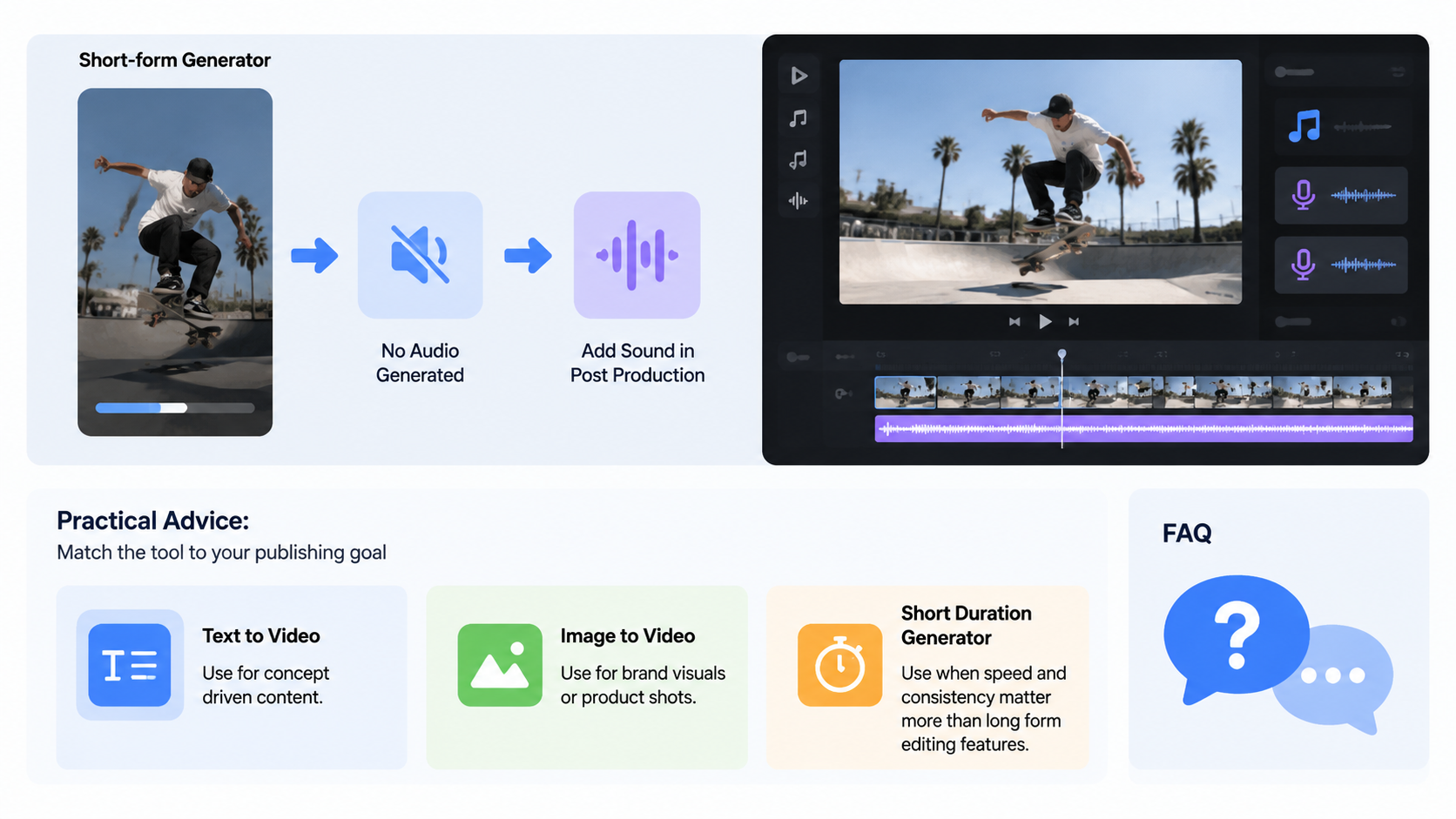
For example, a generator built for short-form production can be ideal if you want quick clips with predictable constraints. If audio generation is not supported, you may need to add sound in post-production.
Practical advice:
Match the tool to your publishing goal:
- Use text-to-video for concept-driven content.
- Use image-to-video for brand visuals or product shots.
- Use a short-duration generator when speed and consistency matter more than long-form editing features.
FAQ
What is Google’s AI video generator called?
It is commonly referred to as Veo.
Can AI video generators make videos from text?
Yes. Many AI video generators support text-to-video, where you enter a prompt and the system creates a short clip.
Can they animate an image?
Yes. Some tools support image-to-video, which uses one reference image as the starting point.
Do all AI video generators support audio?
No. For example, one short-form tool described in the reference knowledge does not support audio generation.
What file format do finished videos usually use?
In the referenced example, finished renders are downloadable as MP4.
Conclusion
If you were asking what Google’s AI video generator is called, the name most commonly associated with it is Veo. More broadly, AI video generators are designed to turn prompts or images into short clips, and the most useful tools are the ones whose limits are clearly defined. For short-form marketing, product, or explainer content, pay close attention to duration, resolution, input type, and export format before choosing a platform.