
AI Video
What Is the Best Free AI Video Generator?
If you want the short answer: the best free AI video generator is the one that lets you create usable videos with the least friction, while still giving…

If you want the short answer: the best free AI video generator is the one that lets you create usable videos with the least friction, while still giving you enough free credits, export quality, and editing control to finish real projects. There is no single universal winner for everyone, but the right choice depends on whether you need text-to-video, avatar videos, social clips, or simple animated content.
This guide explains how to evaluate free AI video generators, what features matter most, and how to choose the best option for your workflow without wasting time testing every tool.
What “Best” Really Means in a Free AI Video Generator
Conclusion: The best free tool is not necessarily the most advanced one. It is the one that gives you the most value within its free limits.
A free AI video generator can help you turn prompts, scripts, images, or existing footage into video content. But “free” usually comes with trade-offs such as watermarks, limited exports, capped video length, fewer templates, or restricted resolution.
What to look for
When comparing tools, focus on these practical factors:
- Ease of use: Can you generate a video quickly without a steep learning curve?
- Free plan value: How many exports, minutes, or credits do you get?
- Output quality: Does the video look clean enough for social media, demos, or internal use?
- Editing flexibility: Can you adjust scenes, captions, voice, or timing?
- Export restrictions: Is there a watermark, low resolution, or limited download format?
- Use case fit: Does it support your goal, such as marketing clips, explainers, or avatar presentations?
Practical advice
Before committing to any tool, define your goal first. A creator making short social media videos has very different needs from someone building onboarding content or product explainers. The best free AI video generator for you is the one that matches your format and publishing needs.
Common Types of Free AI Video Generators
Conclusion: Different tools excel at different video tasks, so choosing the right category matters more than chasing the “best” label.
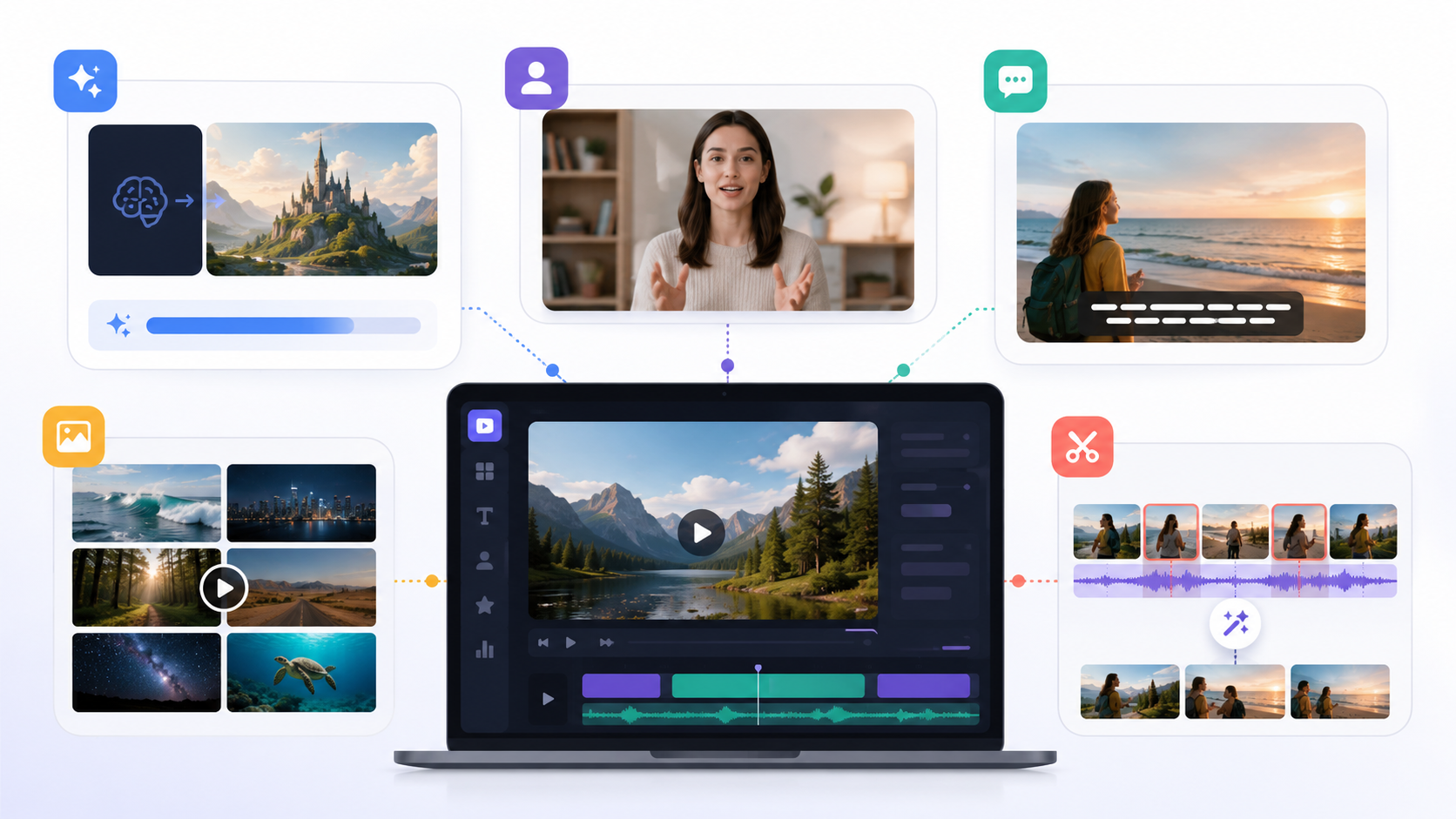
Not all AI video generators work the same way. Some are designed for text prompts, while others focus on avatars, captions, or automated editing. Understanding the main types helps you narrow your search quickly.
| Type of AI video generator | Best for | Typical strengths | Common limitations |
|---|---|---|---|
| Text-to-video | Concept clips, creative visuals, quick generation | Fast idea-to-video workflow | Often limited in control and realism |
| Avatar video tools | Presentations, tutorials, business messages | Professional talking-head format | Free plans may restrict exports or avatars |
| Template-based video makers | Social media posts, ads, explainers | Easy editing and quick results | Less flexible for custom scenes |
| Auto-editing tools | Turning existing footage into polished clips | Saves time on cutting and captions | Depends on source footage quality |
Practical advice
Choose the category first, then compare tools inside that category. For example:
- If you need AI presenters, prioritize avatar tools.
- If you need creative visuals, prioritize text-to-video generators.
- If you need fast social content, prioritize template-based tools.
- If you already have footage, look for auto-editing features.
Key Features That Separate Good Free Tools from Weak Ones
Conclusion: The most useful free AI video generator is the one that balances generation quality with usable editing tools.
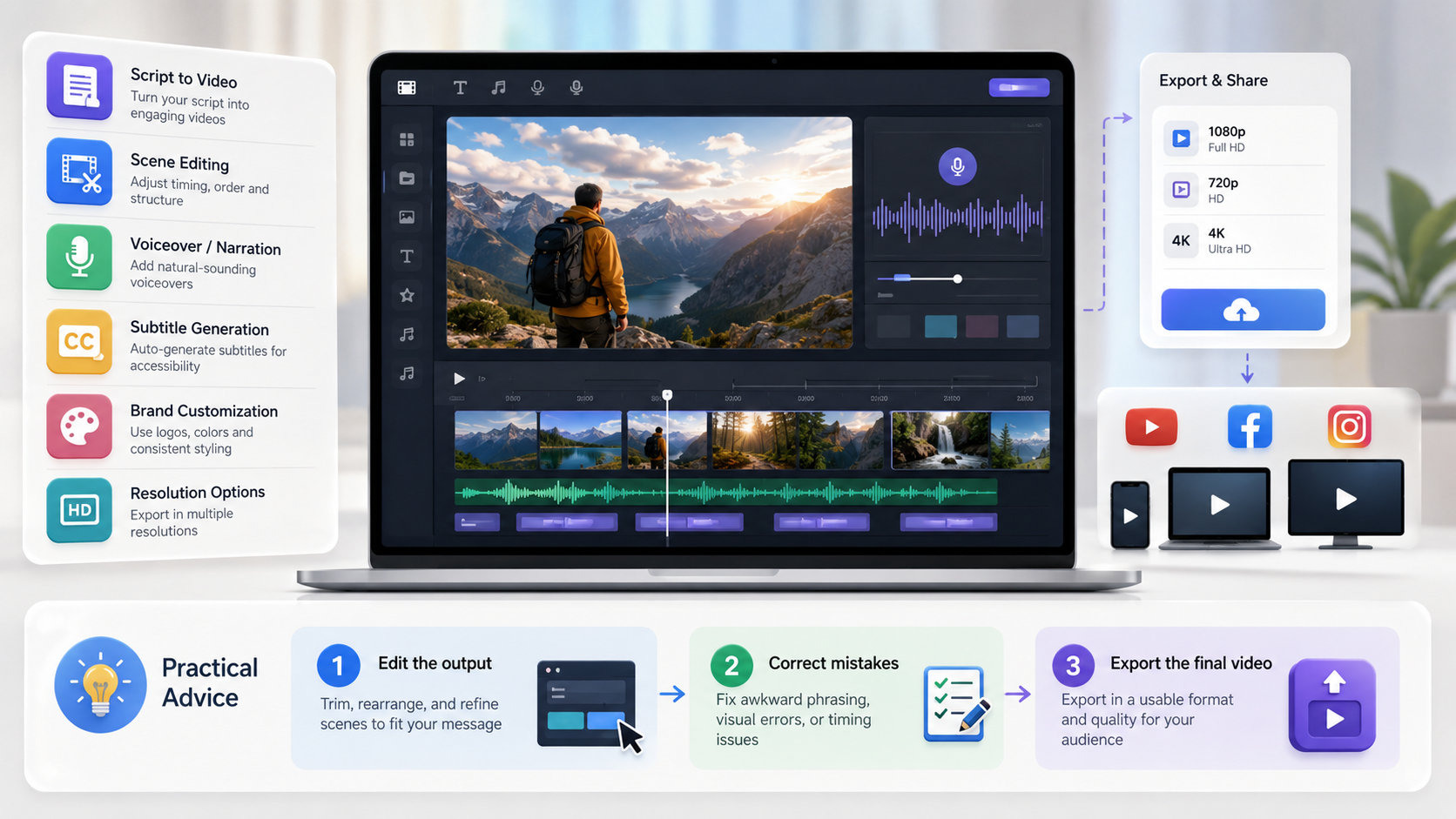
A free plan can still be valuable if the tool offers enough functionality to create something publishable. The most important features usually include script support, scene control, text overlays, music, voice options, and export quality.
Features worth prioritizing
- Script-to-video workflow: Saves time if you already write scripts.
- Scene editing: Helps you fix pacing and structure.
- Voiceover or narration: Useful for explainer content.
- Subtitle generation: Important for accessibility and social media engagement.
- Brand customization: Helpful if you need logos, colors, or consistent styling.
- Resolution options: Better if you plan to share videos on multiple platforms.
Practical advice
Do not judge a tool only by its AI generation demo. Test whether it lets you:
- Edit the output,
- Correct mistakes,
- Export the final video in a usable format.
A tool that generates impressive previews but limits final output may not be the best free option for real work.
How to Choose the Best Free AI Video Generator for Your Use Case
Conclusion: The right tool depends on your content format, your platform, and how much control you need.
There is no single answer to “what is the best free ai video generator” because the best choice varies by use case. A creator posting short clips on social platforms will value speed and captions, while a business user may need polished narration and brand consistency.
Simple decision guide
Use this quick framework:
- For social media clips: Choose a tool with templates, captions, and fast export.
- For product explainers: Choose a tool with script support and scene control.
- For internal training or demos: Choose a tool with clear narration and slide-like structure.
- For experimentation: Choose a tool with generous free credits and easy prompt testing.
- For brand content: Choose a tool that allows logos, colors, and consistent formatting.
Practical advice
Make a shortlist of 2–3 free tools and test the same input in each one. Use the same script, image, or prompt, then compare:
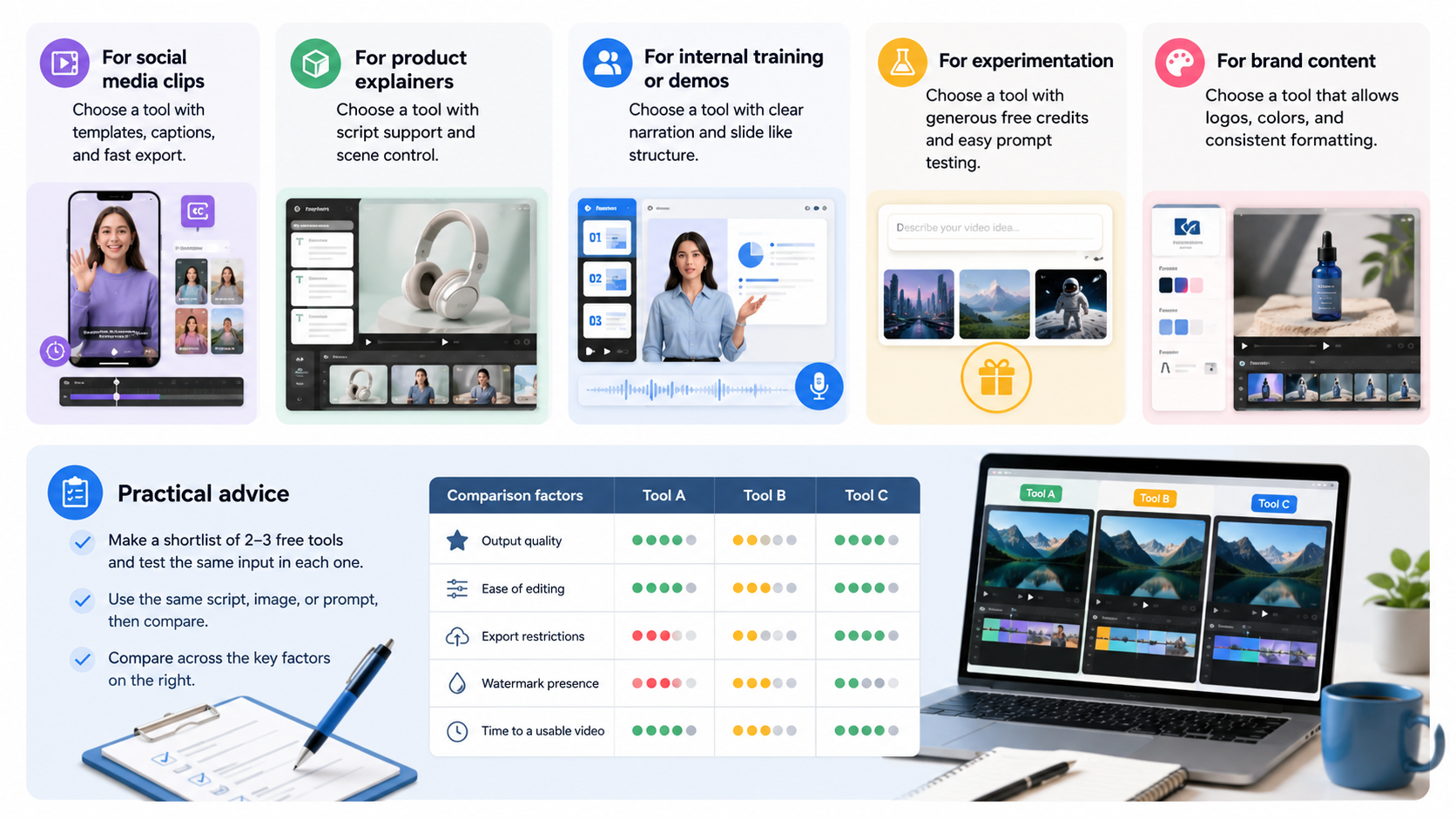
- output quality,
- ease of editing,
- export restrictions,
- watermark presence,
- and how much time it takes to finish a usable video.
This side-by-side test is often more reliable than reading feature lists alone.
Best Practices to Get Better Results from Free AI Video Generators
Conclusion: Better prompts and tighter editing often matter more than the tool itself.
Free AI video generators can produce much better results when you give them clear instructions. In many cases, poor output comes from vague prompts rather than tool limitations alone.
Practical tips
- Write concise scripts: Short, clear scripts are easier to turn into videos.
- Break content into scenes: One idea per scene usually works best.
- Use specific prompts: Include style, tone, audience, and length.
- Keep expectations realistic: Free plans are often best for drafts, tests, or lightweight publishing.
- Edit the final output: Even a good AI-generated video usually needs human review.
Example prompt structure
You can improve results by including:
- topic,
- audience,
- tone,
- visual style,
- length,
- and desired format.
For example:
“Create a 30-second professional explainer video for small business owners about email marketing basics, with clean visuals, on-screen text, and a calm voiceover.”
Practical advice
Think of free AI video tools as production assistants, not full replacements for editing judgment. The more specific your input, the better your result.
FAQ
What is the best free AI video generator overall?
There is no single best option for everyone. The best free AI video generator depends on whether you need text-to-video, avatars, templates, or auto-editing features.
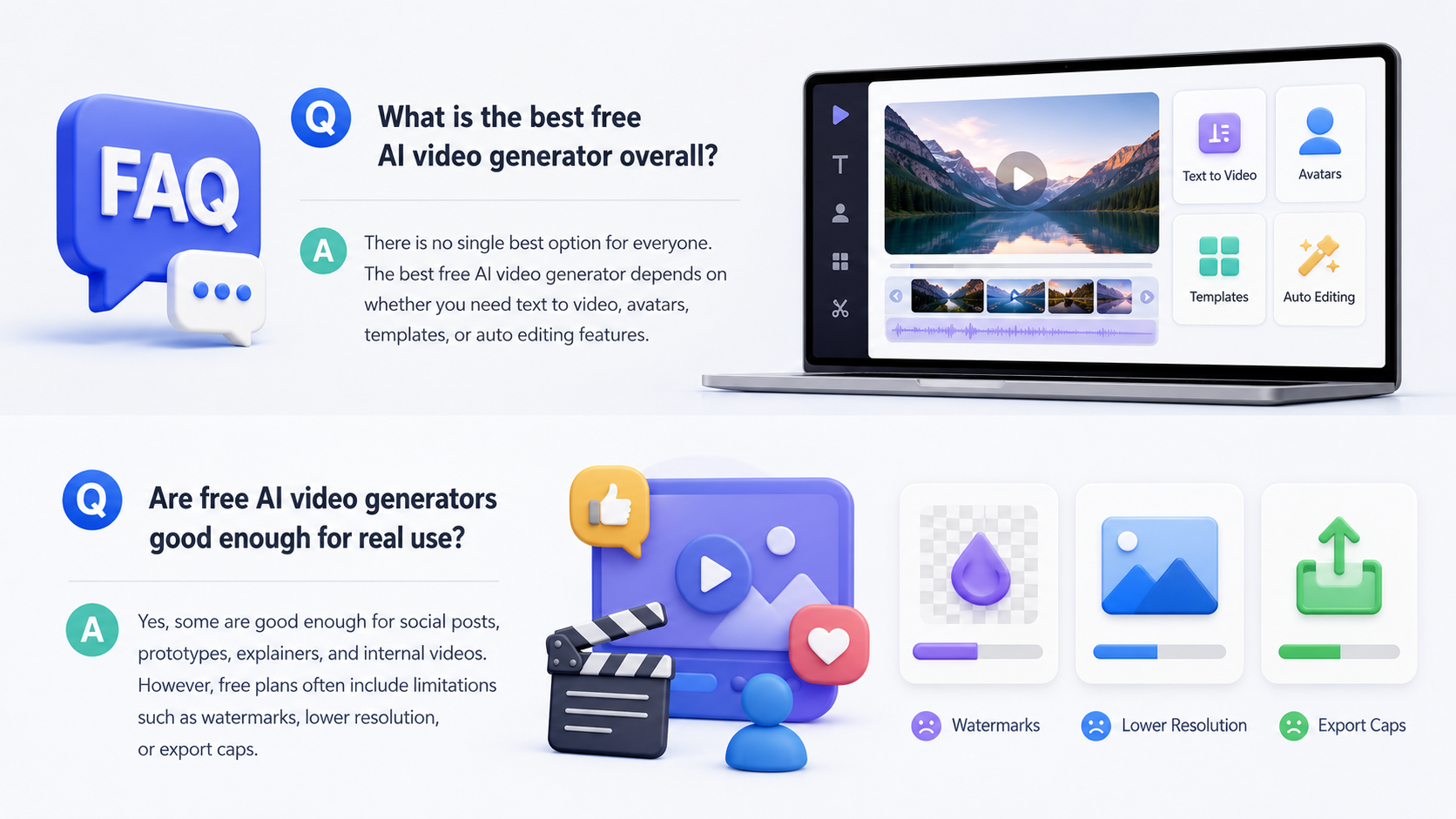
Are free AI video generators good enough for real use?
Yes, some are good enough for social posts, prototypes, explainers, and internal videos. However, free plans often include limitations such as watermarks, lower resolution, or export caps.
Do free AI video generators require editing skills?
Not always, but basic editing knowledge helps. Even simple adjustments like trimming, adding captions, or changing pacing can improve the final result.
Can I use free AI video generators for business content?
Often yes, but you should review the tool’s free plan terms carefully. Check for watermarking, commercial use restrictions, and export limitations before publishing.
How do I choose between two free tools?
Test both with the same script or prompt and compare output quality, editing flexibility, and export limits. The better tool is usually the one that gives you a usable final video faster.
Conclusion
The best free AI video generator is the one that fits your content goal, gives you enough free functionality to finish a project, and does not create extra work through heavy restrictions. Focus on the tool’s category, the quality of its free plan, and how easily you can edit the output.
If you want the most practical choice, start with a small test: compare a few free tools using the same script or prompt, then pick the one that produces the best usable result with the least effort.
To try these ideas on your own material, start with Seedance 2.0 or Wan 2.7.