
AI Image
What Image Generator Does Meta AI Use?
If you want the short answer: Meta AI does not publicly present a single, fixed image generator brand or model name for all users and all surfaces.

If you want the short answer: Meta AI does not publicly present a single, fixed image generator brand or model name for all users and all surfaces. The image generation experience inside Meta AI can vary by product, region, and rollout phase, so the most useful thing to understand is how Meta AI generates images, what is publicly known, and how to choose the right workflow for your needs.
This article explains what is known, what is not confirmed, and how to work with Meta AI image generation more effectively.
What Meta AI Uses for Image Generation
Conclusion: Meta AI has its own image generation capabilities, but Meta does not consistently expose one universal model name in consumer-facing documentation.
Meta has developed and integrated generative AI features across its products, including image creation in Meta AI experiences. In practice, users may see image generation powered by Meta’s own systems, and the exact model or backend can depend on the app or interface you are using.
What this means in practice
- The image generator may be native to Meta AI rather than a third-party brand the user directly selects.
- The visible experience can differ between Facebook, Instagram, Messenger, WhatsApp, and the Meta AI web experience, where available.
- Meta may update the underlying model over time without emphasizing a consumer-facing model name.
Practical advice
If you need certainty about the exact backend:
- Check Meta’s official product or help pages for the specific app.
- Review in-product descriptions and feature notes.
- Avoid assuming the generator is the same across all Meta surfaces.
How Meta AI Image Generation Typically Works
Conclusion: Meta AI image generation is designed to turn text prompts into images, with quality depending heavily on prompt clarity and specificity.
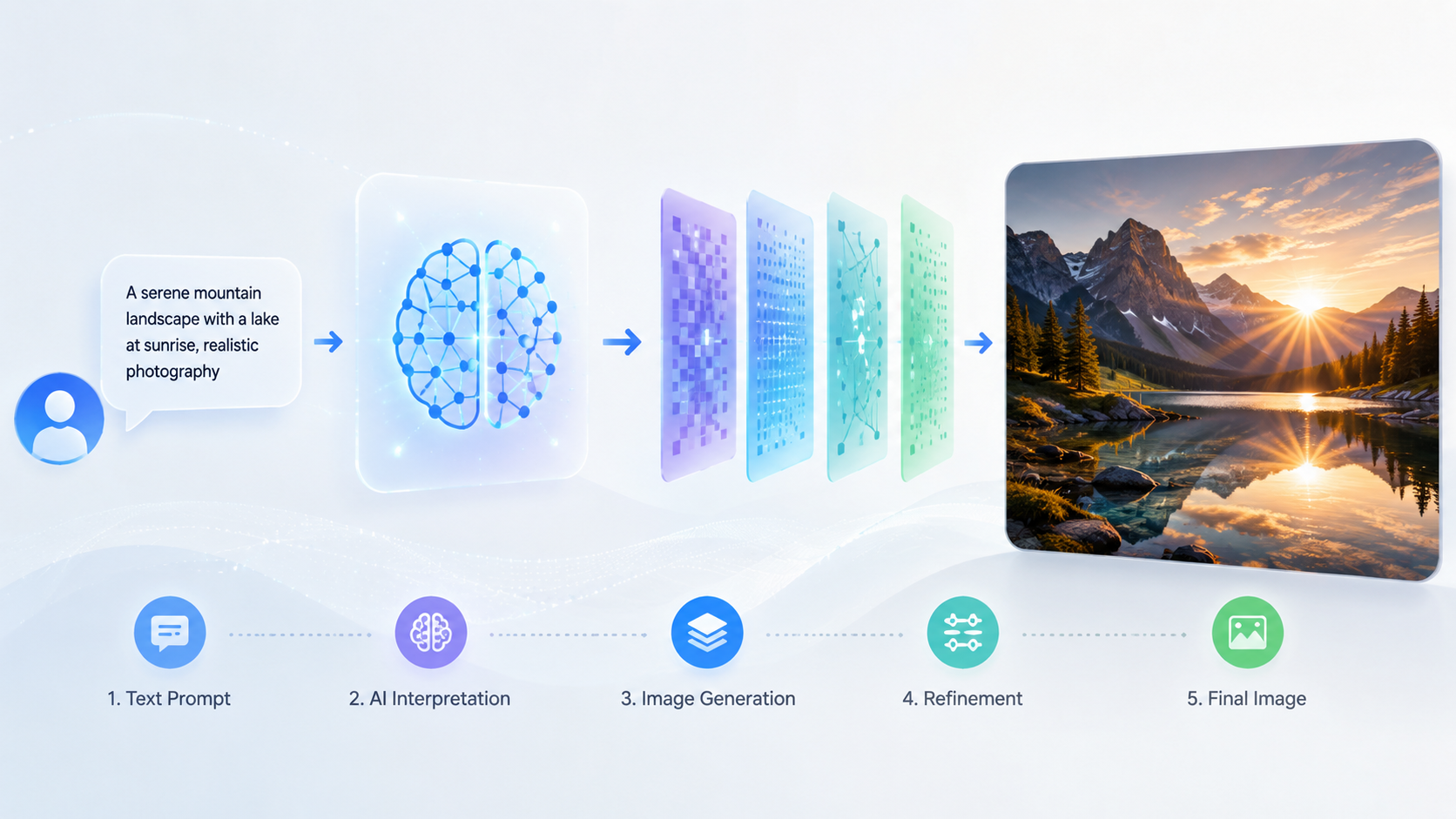
Like other modern AI image tools, Meta AI generally works by interpreting a written request and producing an image that matches the description. While the internal model details are not always publicly detailed, the workflow is familiar:
- You enter a prompt.
- The system interprets subject, style, mood, and composition.
- It generates one or more images based on the request.
- You refine the output by adjusting the prompt.
Common inputs that affect results
- Subject: person, object, scene, character
- Style: realistic, illustration, cinematic, cartoon
- Lighting: soft light, dramatic light, sunset
- Composition: close-up, wide shot, centered
- Details: clothing, background, color palette, mood
Practical advice
To improve results, write prompts that are:
- Specific
- Visually descriptive
- Structured around subject + style + setting + mood
For example, instead of:
- “A dog in a park”
Try:
- “A golden retriever sitting in a sunlit city park, realistic style, soft afternoon light, shallow depth of field”
What Is Publicly Known vs. What Is Not Confirmed
Conclusion: There is a difference between what Meta has made visible to users and what remains unpublished behind the scenes.
Many users search for the exact image model name because they want to compare performance, style, and safety features. That is reasonable, but not every product reveals its full technical stack.

Publicly known
- Meta offers AI-powered image generation in some of its products and experiences.
- The feature is integrated into Meta’s broader AI ecosystem.
- The user-facing experience may include prompt-based image creation and editing.
Not consistently confirmed
- A single, universal model name for all Meta AI image generation
- Whether the same backend powers every app and region
- Full technical details of training data, architecture, or update cadence
Comparison table
| Question | What can be said reliably |
|---|---|
| Does Meta AI generate images? | Yes, in supported experiences |
| Is there one public model name for all use cases? | Not consistently disclosed |
| Is the backend always the same across Meta apps? | Not guaranteed |
| Should users expect model changes over time? | Yes, features can evolve |
| Is prompt quality important? | Absolutely |
Practical advice
When comparing Meta AI to other image tools, focus on:
- Output quality
- Prompt control
- Editing features
- Speed
- Availability in your region
- Licensing or usage terms, if relevant to your use case
How to Get Better Results from Meta AI
Conclusion: Even if the underlying model is not fully named, prompt quality and creative direction still determine most of the outcome.
The best way to get useful images is to treat Meta AI like a design brief tool. The clearer your brief, the better your result.
A simple prompt formula
Use this structure:
[Subject] + [Style] + [Scene] + [Lighting] + [Mood] + [Extra details]
Example:
- “A mountain biker crossing a forest trail, photorealistic, early morning fog, natural light, energetic mood, dynamic motion”

Tips that usually help
- Add visual references in words, not just abstract ideas
- Specify camera or art style when relevant
- Mention colors if they matter
- Avoid overly vague prompts
- If the first result is close, refine one element at a time
Practical advice
If the image is not what you expected:
- Simplify the prompt
- Remove conflicting style terms
- Add one strong focal point
- Test multiple variations rather than changing everything at once
When Meta AI May Be the Right Choice
Conclusion: Meta AI is a practical option if you already use Meta products and want integrated image generation without switching tools.
Meta AI may be especially useful if you want:
- A built-in experience inside Meta’s ecosystem
- Quick prompt-to-image generation
- Casual creative visuals for brainstorming or social content
- Easy access without learning a complex design workflow
When to consider another tool
You may want a different generator if you need:
- Highly specific artistic control
- Advanced editing layers
- Detailed model transparency
- A fixed, well-documented image engine for professional comparison
Practical advice
Choose Meta AI when convenience matters most. Choose another platform when your priority is:
- Technical transparency
- Specialized editing
- Reproducible outputs for a creative pipeline
FAQ
What image generator does Meta AI use?
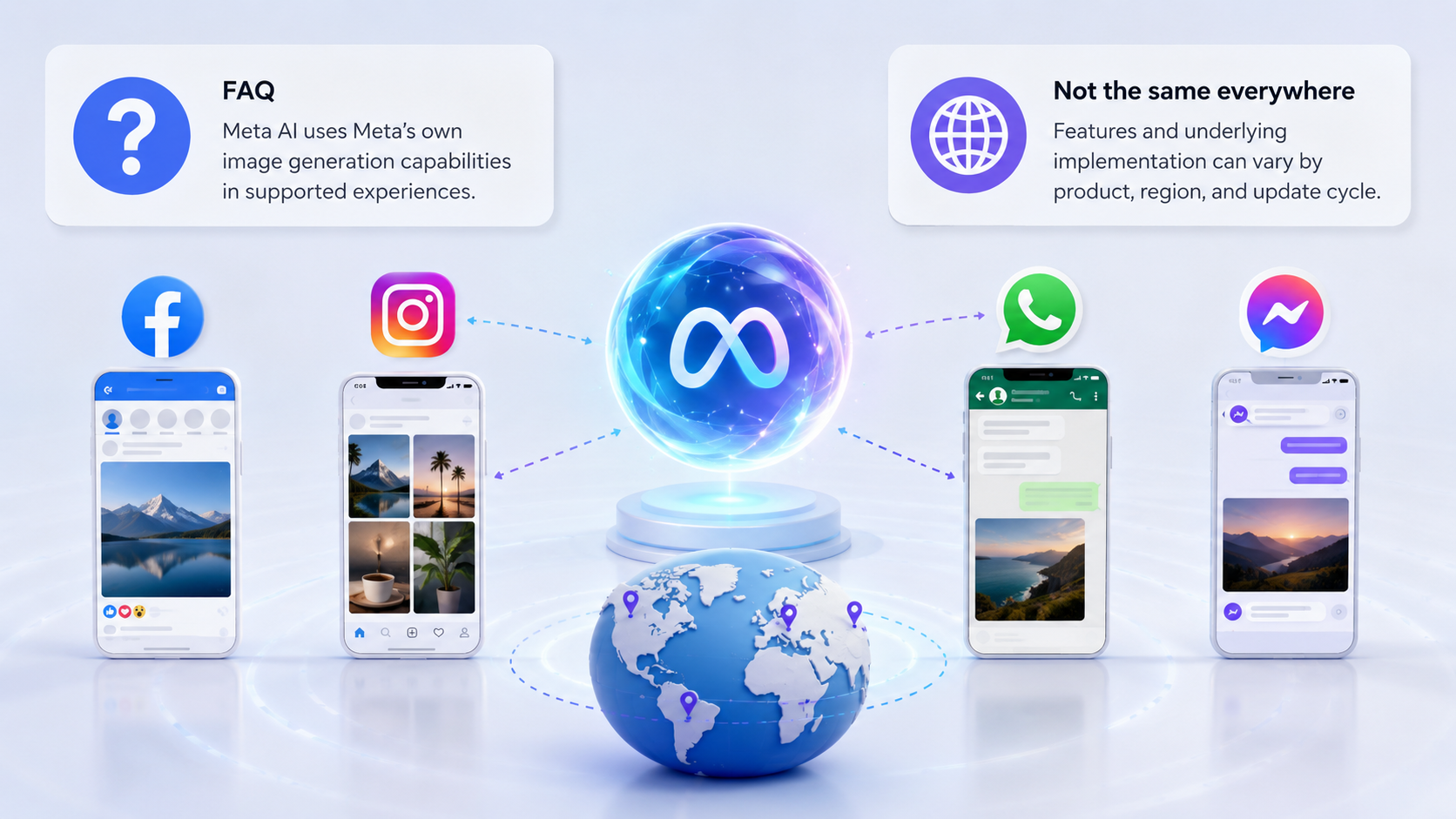
Meta AI uses Meta’s own image generation capabilities in supported experiences, but Meta does not always publicly name one single universal model for every app or rollout.
Is Meta AI image generation the same in all Meta apps?
Not necessarily. The feature and its underlying implementation can vary by product, region, and update cycle.
Can I choose the exact model inside Meta AI?
In most consumer-facing experiences, the exact backend model is not something users can directly select.
Why do results vary so much?
Results depend on prompt wording, style instructions, and the version of the feature being used.
How do I get better images from Meta AI?
Use clear, descriptive prompts with subject, style, scene, lighting, and mood. Refine one detail at a time.
Conclusion
If you were asking “what image generator does Meta AI use,” the most accurate answer is that Meta AI provides image generation through Meta’s own AI systems, but the exact model name is not always publicly disclosed or consistent across all products. For users, the more important takeaway is that prompt quality, feature availability, and product context matter more than a single named engine.
If your goal is to create better images, focus on writing stronger prompts and checking the specific Meta app or surface you are using, since the experience can evolve over time.
To try these ideas on your own material, start with text to image or image to image editing.