
AI Image
What Is the Most Realistic AI Image Generator?
If you want the most realistic AI image generator, the short answer is: the best one depends on what kind of realism you mean.

If you want the most realistic AI image generator, the short answer is: the best one depends on what kind of realism you mean. Some tools excel at photorealistic faces, others at product-style lighting, and others at overall image consistency. This article helps you compare the main factors that make AI images look real, so you can choose the right generator for portraits, marketing visuals, concept art, or general creative work.
What “Realistic” Actually Means in AI Image Generation
The most realistic AI image generator is not just the one that looks sharp. Realism usually comes from a mix of accurate anatomy, natural lighting, believable textures, coherent details, and a lack of obvious AI artifacts.
Conclusion
A realistic image generator should create images that feel camera-captured, not computer-made.
Explanation
Realism depends on several qualities:
- Facial accuracy: eyes, teeth, ears, and hands should look natural
- Lighting consistency: shadows and highlights should match the scene
- Texture detail: skin, fabric, metal, and hair should have believable surfaces
- Composition coherence: objects should fit together naturally
- Low artifact rate: fewer warped fingers, strange backgrounds, or melted details
Practical advice
When judging realism, zoom in on the image and inspect:
- hands
- teeth
- reflections
- hairlines
- text in the background
- edges around glasses, jewelry, and clothing
These areas often reveal whether an image is truly realistic or only looks good at first glance.
Which Types of AI Image Generators Look Most Realistic?
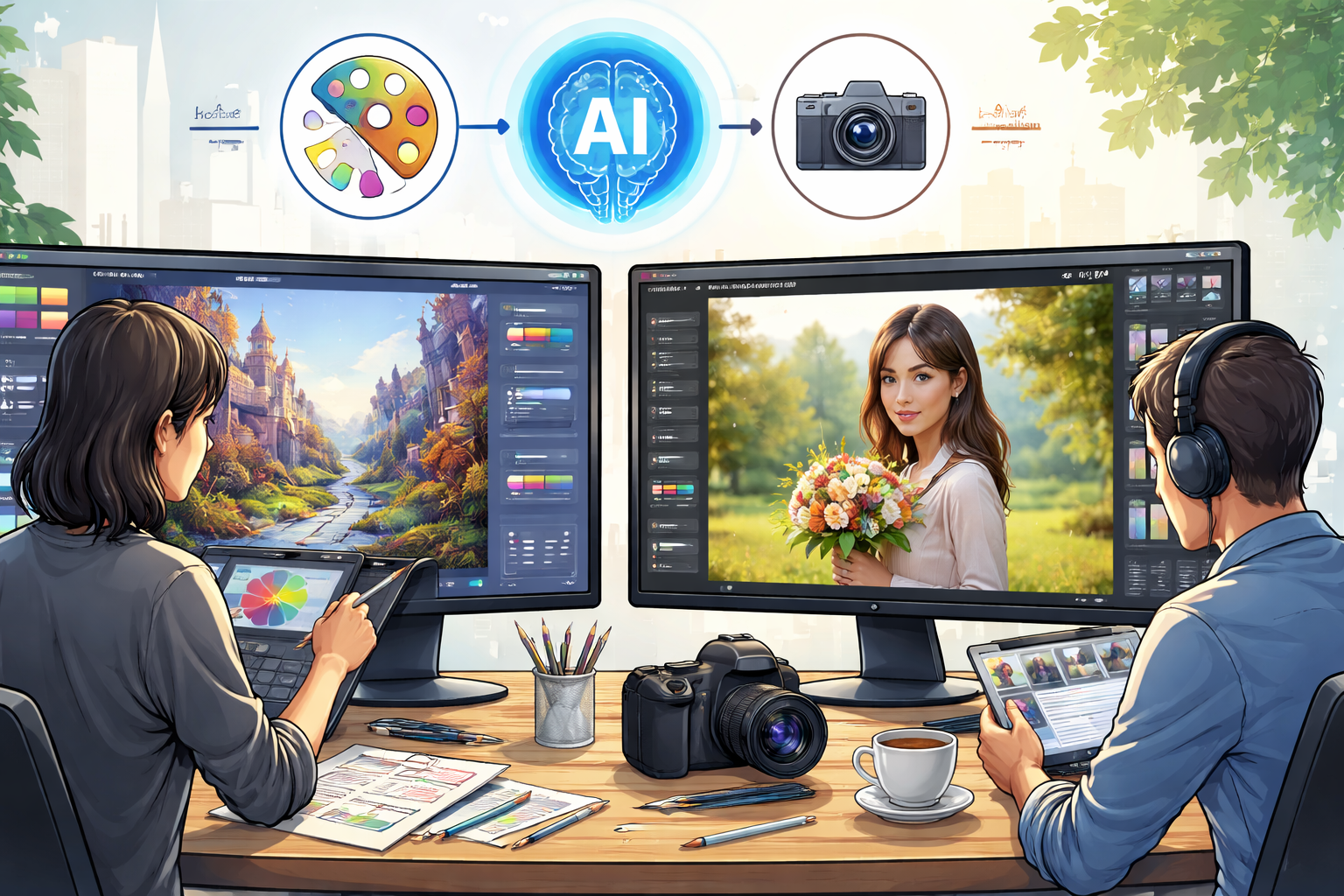
Different generators are strong in different areas. Some are designed for flexibility and artistic control, while others prioritize photorealism.
Conclusion
The most realistic AI image generator for you depends on your use case.
Explanation
| Use case | What matters most | Best-fit generator type |
|---|---|---|
| Portraits | Facial detail, skin texture, expression control | Photoreal-focused image models |
| Product mockups | Clean lighting, accurate object shape | Commercial and studio-style generators |
| Lifestyle scenes | Natural people, environment consistency | General-purpose high-quality models |
| Concept visuals | Style control with realistic rendering | Hybrid creative models |
| Social media content | Fast generation and consistent look | Easy-to-use platform generators |
In practice, realism is often strongest when the tool can handle both the subject and the environment well. A realistic face alone is not enough if the background, hands, or clothing look artificial.
Practical advice
Choose a generator based on the output you need:
- Portrait work: prioritize facial realism and skin detail
- Brand visuals: prioritize clean composition and lighting
- Scene generation: prioritize consistency across people and objects
- Fast content creation: prioritize ease of prompting and editing
If your images must pass close inspection, test the tool on difficult subjects like hands, side profiles, and reflective surfaces.
Features That Make an AI Image Generator More Realistic
A realistic generator is usually better at controlling the small details that human viewers notice first.
Conclusion
The best realism comes from strong model quality plus good editing and prompt control.
Explanation
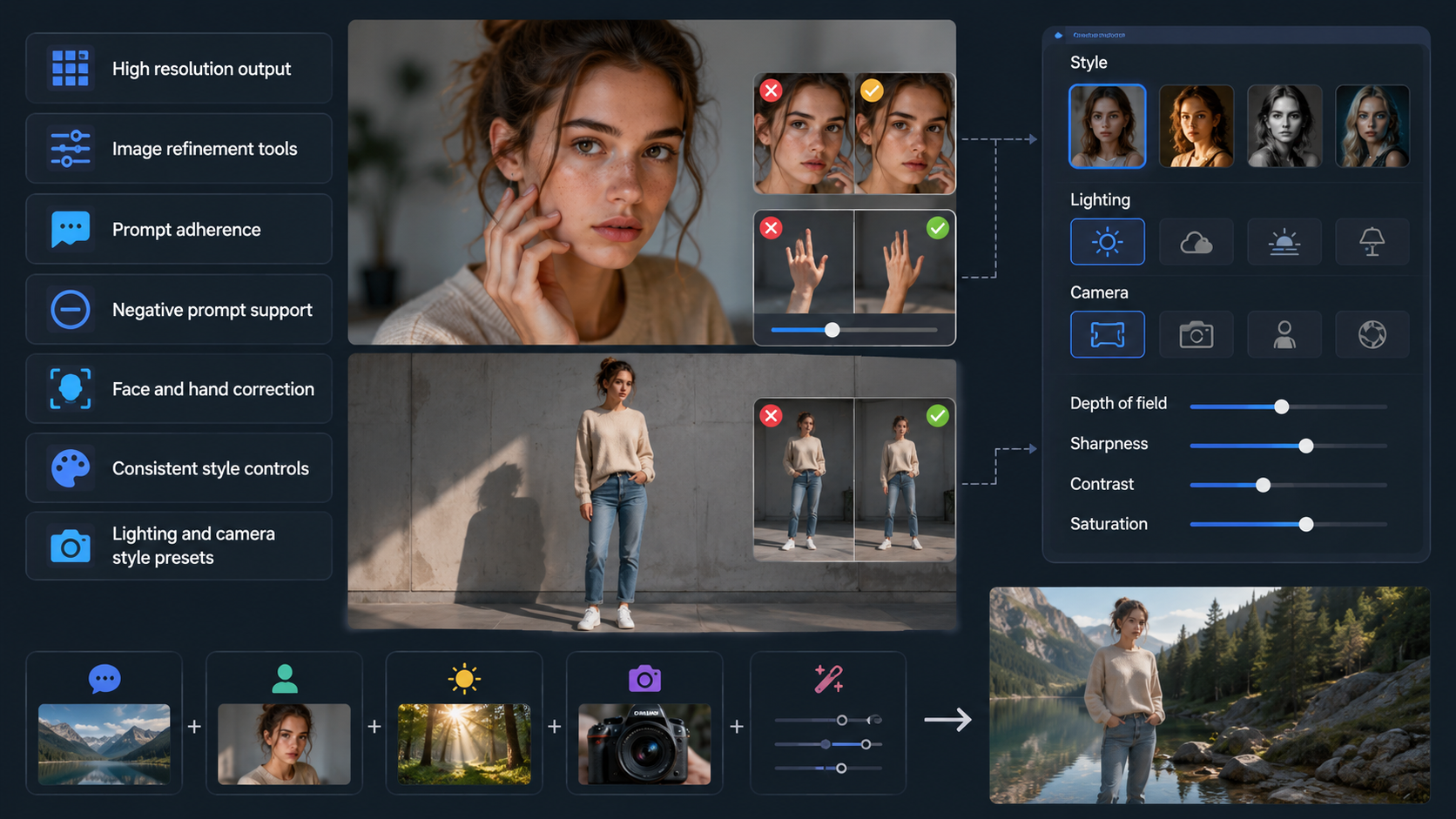
Look for these features:
- High-resolution output
- Image refinement tools
- Prompt adherence
- Negative prompt support
- Face and hand correction
- Consistent style controls
- Lighting and camera-style presets
A tool can be powerful but still produce unnatural images if it lacks control options. For example, a model that makes excellent portraits may still struggle with full-body shots unless it offers editing or regeneration tools.
Practical advice
To improve realism, use prompts that include:
- camera type or lens style
- natural lighting terms
- realistic materials
- scene context
- age, mood, and pose details
Avoid overloading the prompt with too many conflicting style cues. Simpler, more specific prompts often produce more believable results.
How to Choose the Most Realistic AI Image Generator for Your Needs
There is no universal winner. The right choice depends on whether you want realism for professional visuals, creative projects, or casual use.
Conclusion
The most realistic AI image generator is the one that consistently matches your intended subject and workflow.
Explanation
Ask these questions before choosing:
-
What do I need to generate most often?
Portraits, products, scenes, or stylized realism? -
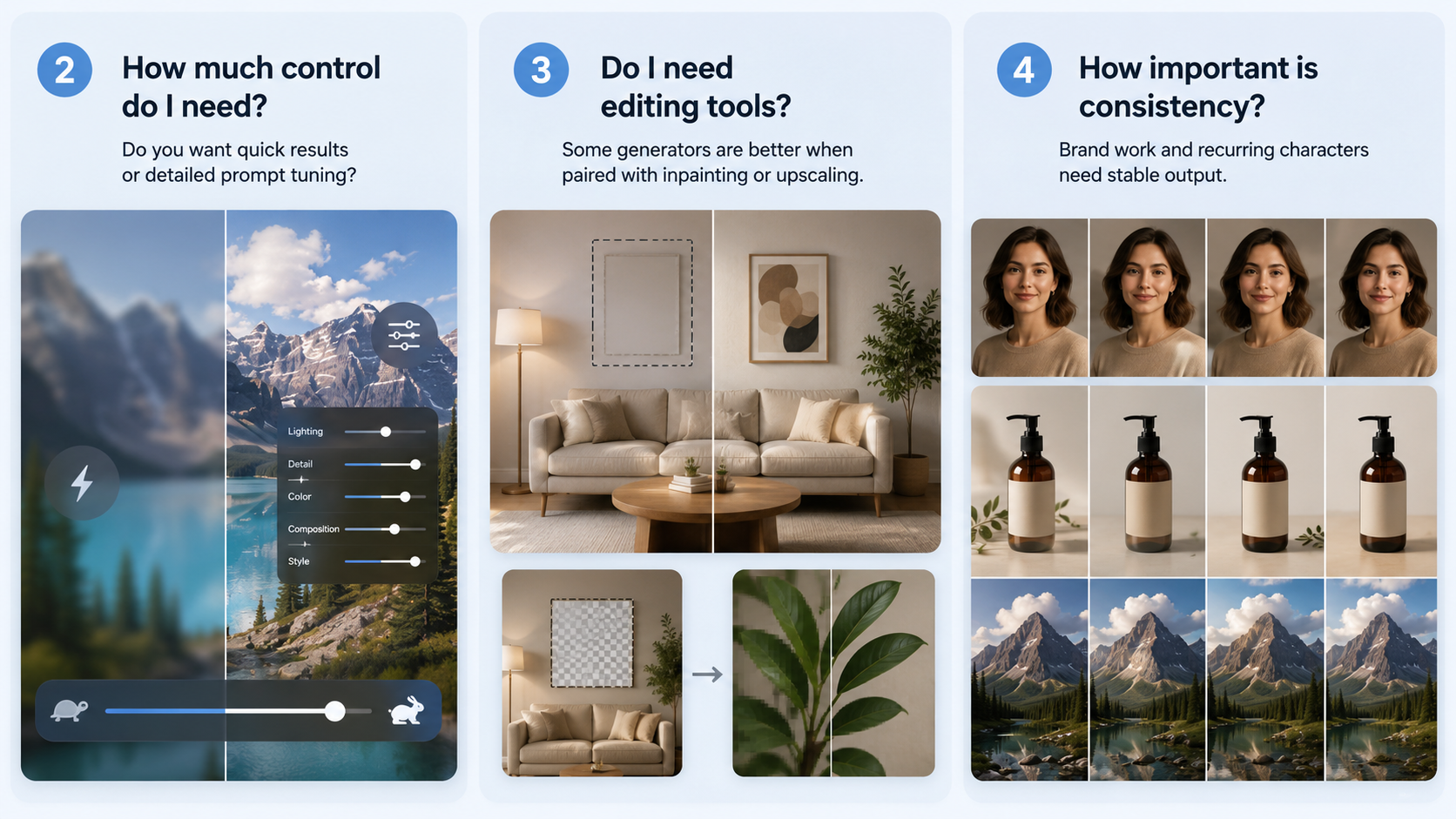
How much control do I need?
Do you want quick results or detailed prompt tuning? -
Do I need editing tools?
Some generators are better when paired with inpainting or upscaling.
-
How important is consistency?
Brand work and recurring characters need stable output. -
How much post-processing will I do?
If you edit images afterward, a slightly less perfect generator may still be the best fit.
Practical advice
A good way to decide is to test the same prompt across multiple tools and compare:
- face realism
- body proportions
- background coherence
- color accuracy
- artifact frequency
- ease of revision
This gives you a more reliable answer than relying on marketing claims alone.
Tips for Getting More Realistic Results from Any AI Image Generator
Even the strongest tool can produce weak results without the right prompt and workflow.
Conclusion
Better prompting often matters as much as the generator itself.
Explanation
To improve realism:
- Use clear subject descriptions
- Specify natural lighting
- Add realistic camera or scene details
- Keep the composition simple
- Generate multiple versions
- Refine with edits instead of starting over every time
If an image looks fake, the problem may not be the model. It may be that the prompt is too vague, too stylized, or too crowded with conflicting instructions.
Practical advice
Try this simple prompt structure:
- Subject: who or what the image shows
- Environment: where it is happening
- Lighting: natural, studio, golden hour, soft daylight
- Style: photorealistic, documentary, editorial, commercial
- Quality cues: detailed, natural skin texture, realistic shadows
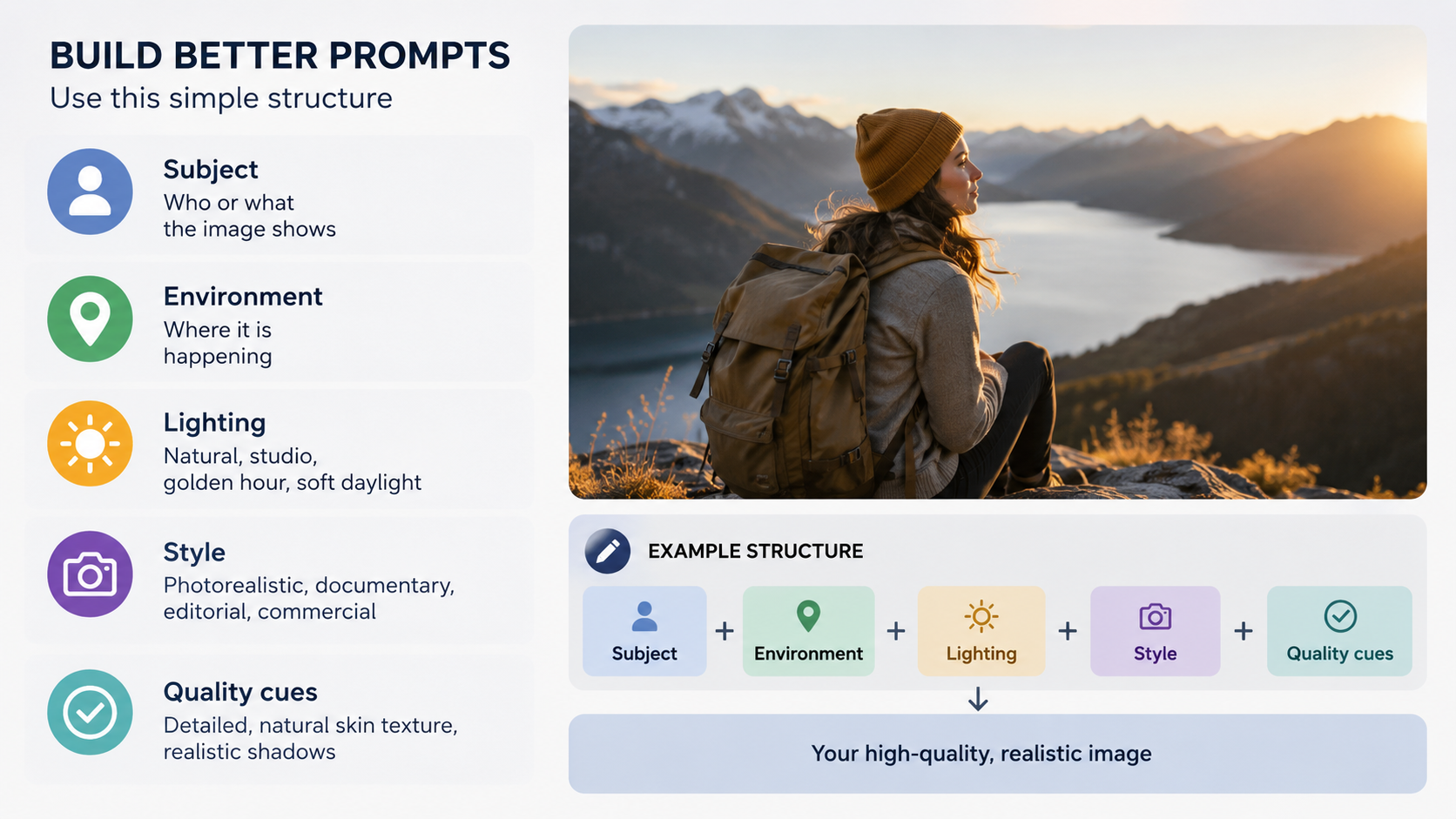
Example structure:
A photorealistic portrait of a woman in soft natural daylight, standing near a window, realistic skin texture, clean composition, natural shadows.
FAQ
What is the most realistic AI image generator?
The most realistic AI image generator is the one that best matches your use case and produces believable details, natural lighting, and accurate anatomy with minimal artifacts.
Are AI image generators good at photorealism?
Yes, many modern AI image generators can produce photorealistic results, especially for portraits and controlled scenes. However, realism varies by subject and prompt quality.
Why do AI images sometimes look fake?
AI images may look fake because of distorted hands, unnatural facial features, inconsistent shadows, or overly smooth textures. These issues often appear when the prompt is unclear or the subject is complex.
How can I make AI images look more realistic?
Use specific prompts, natural lighting cues, realistic scene details, and post-generation editing. Testing multiple versions also helps improve results.
Is the best realistic AI image generator always the same tool?
No. The best tool depends on whether you need portraits, product visuals, scenes, or consistent brand content.
Conclusion
The most realistic AI image generator is not a single fixed answer. It depends on how well a tool handles the details that matter most: anatomy, lighting, texture, and consistency. For the best results, choose a generator based on your subject, test it with demanding prompts, and refine the output with careful editing. That approach will give you a more reliable measure of realism than any headline claim.
To try these ideas on your own material, start with text to image or image to image editing.