
Guides
What Chips Do AI Video Generators Use?
If you want the short answer: AI video generators usually rely on powerful GPUs, especially NVIDIA chips, plus supporting CPUs, system memory, and fast…

If you want the short answer: AI video generators usually rely on powerful GPUs, especially NVIDIA chips, plus supporting CPUs, system memory, and fast storage. The exact chip mix depends on whether the model is being trained, running inference, or serving many users at once.
This article explains which chips matter most, why they matter, and how to think about hardware if you are choosing, building, or evaluating an AI video generation system.
1) The Main Chip Behind AI Video Generation: GPUs
Conclusion:
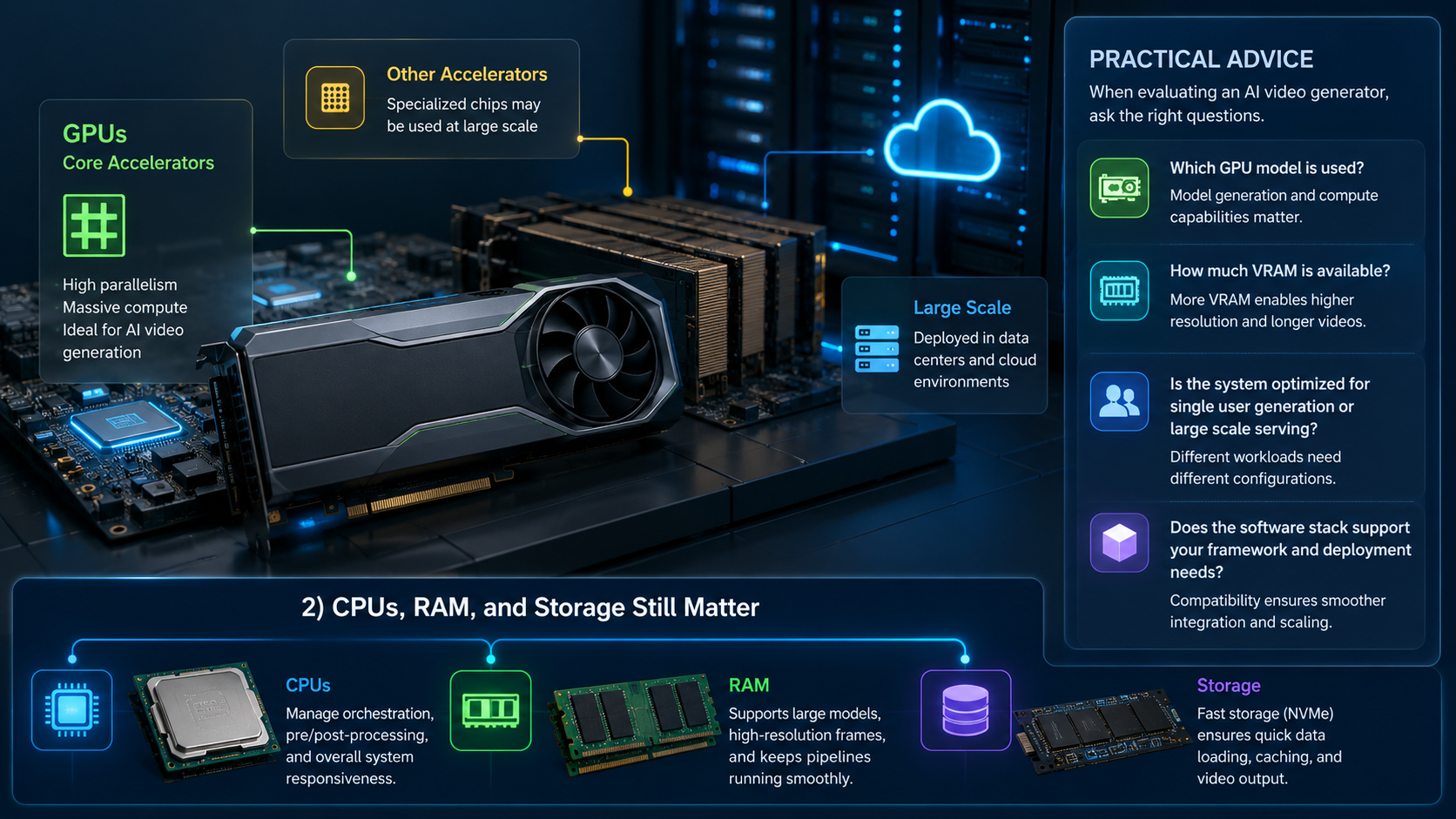
For most AI video generators, the most important chips are GPUs. They do the heavy parallel math that video models need.
Explanation:
AI video generation is computationally expensive because models must process many frames, large tensors, and often diffusion or transformer-based workloads. GPUs are well suited for this because they handle thousands of operations in parallel. In practice, many AI video systems are built around NVIDIA GPUs due to strong software support through CUDA and common deep learning frameworks.
Other chips can also appear in the stack, but GPUs are usually the core accelerator. In some environments, especially at large scale, providers may use specialized accelerators, but GPUs remain the most familiar and widely deployed option.
Practical advice:
If you are evaluating an AI video generator, ask:
- Which GPU model is used?
- How much VRAM is available?
- Is the system optimized for single-user generation or large-scale serving?
- Does the software stack support your framework and deployment needs?
2) CPUs, RAM, and Storage Still Matter
Conclusion:
AI video generation is not only about GPUs. CPUs, RAM, and fast storage are essential for keeping the system responsive and stable.
Explanation:
The CPU handles orchestration, data movement, preprocessing, scheduling, and parts of the pipeline that do not map efficiently to GPU acceleration. RAM is important for loading models, managing batches, and keeping the system from bottlenecking. Fast SSD storage helps with model loading, dataset access, and temporary files, especially when working with large video assets.
Even a strong GPU can underperform if the rest of the system is underpowered. For example, slow storage can delay model startup, and insufficient RAM can force swapping, which hurts performance.
Practical advice:
When building or buying hardware for AI video generation:
- Pair GPUs with enough system RAM.
- Use NVMe SSDs for faster read/write performance.
- Make sure the CPU is not a weak link in the workflow.
- Check whether your workload is model training, fine-tuning, or inference, since each has different system demands.
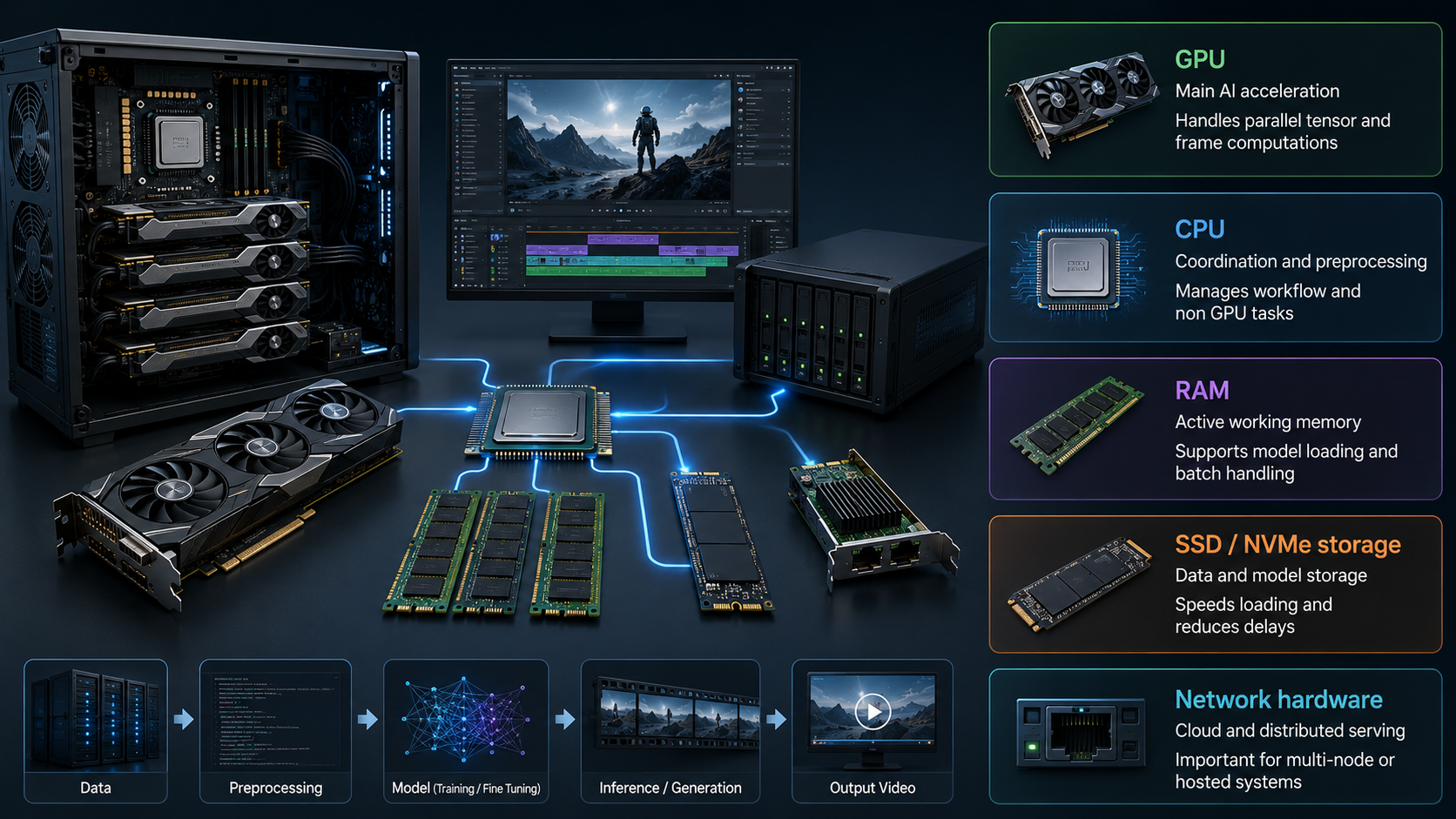
| Component | Role in AI Video Generation | Why It Matters |
|---|---|---|
| GPU | Main AI acceleration | Handles parallel tensor and frame computations |
| CPU | Coordination and preprocessing | Manages workflow and non-GPU tasks |
| RAM | Active working memory | Supports model loading and batch handling |
| SSD / NVMe storage | Data and model storage | Speeds loading and reduces delays |
| Network hardware | Cloud and distributed serving | Important for multi-node or hosted systems |
3) Training Chips vs. Inference Chips
Conclusion:
The chips used for training AI video models are often the same type as those used for inference, but the performance requirements can be very different.
Explanation:
Training is the most demanding stage. It usually needs more memory, more compute, and sometimes multi-GPU or distributed setups. Inference, which is generating video from a trained model, can be less demanding per request, but it still needs strong acceleration to keep output times practical.
This means a chip that works well for demo generation may not be enough for large-scale training. Likewise, a system built for research training may be overkill for lightweight inference.
Practical advice:
Choose hardware based on the task:
- Training: prioritize VRAM, throughput, and scalability.
- Inference: prioritize latency, efficiency, and deployment cost.
- Batch generation: prioritize memory and throughput.
- Interactive generation: prioritize responsiveness and fast GPU execution.
4) What to Look For in Real-World Hardware Choices
Conclusion:
The best chip for an AI video generator is the one that matches your workload, budget, and software stack.
Explanation:
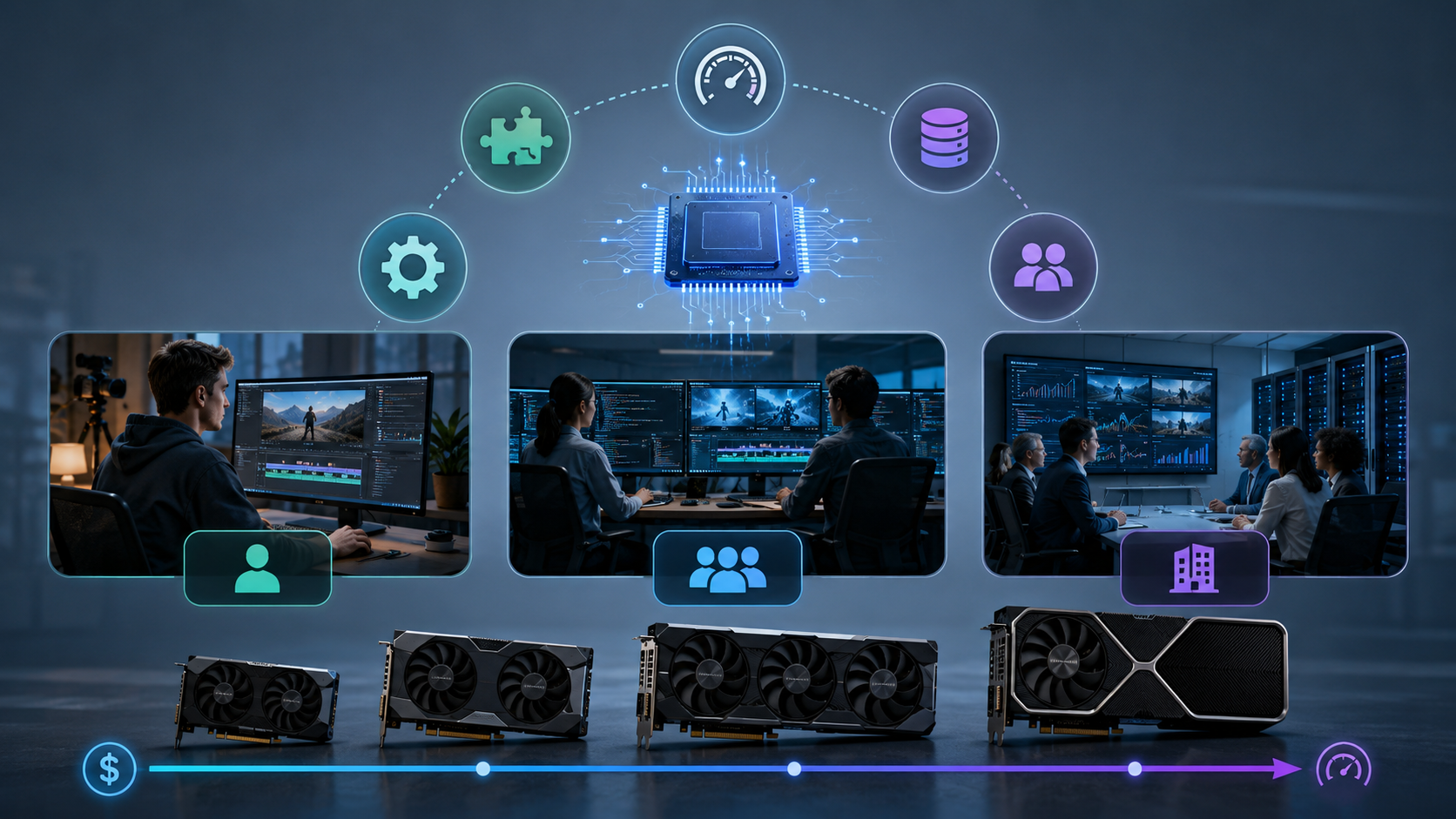
Not every system needs the biggest GPU available. The right choice depends on whether you are a solo creator, a startup, or an enterprise team. Compatibility with your AI framework matters just as much as raw performance. Some hardware may offer excellent speed but be harder to integrate, while other chips may be more accessible but slower.
For most users, the safest default is to look for a GPU-centric setup with enough memory and a balanced supporting system.
Practical advice:
Use this checklist before choosing hardware:
- Does the GPU have enough VRAM for your model size?
- Is the driver/software ecosystem mature?
- Will the system run your preferred AI framework?
- Do you need local generation or cloud deployment?
- Are you optimizing for cost, speed, or scale?
FAQ
Do AI video generators use only GPUs?
No. GPUs are the main acceleration chips, but CPUs, RAM, and storage are also important for the full workflow.
Are NVIDIA chips the most common for AI video generation?
Yes, they are commonly used because of strong ecosystem support, though other accelerators may also be used depending on the platform.
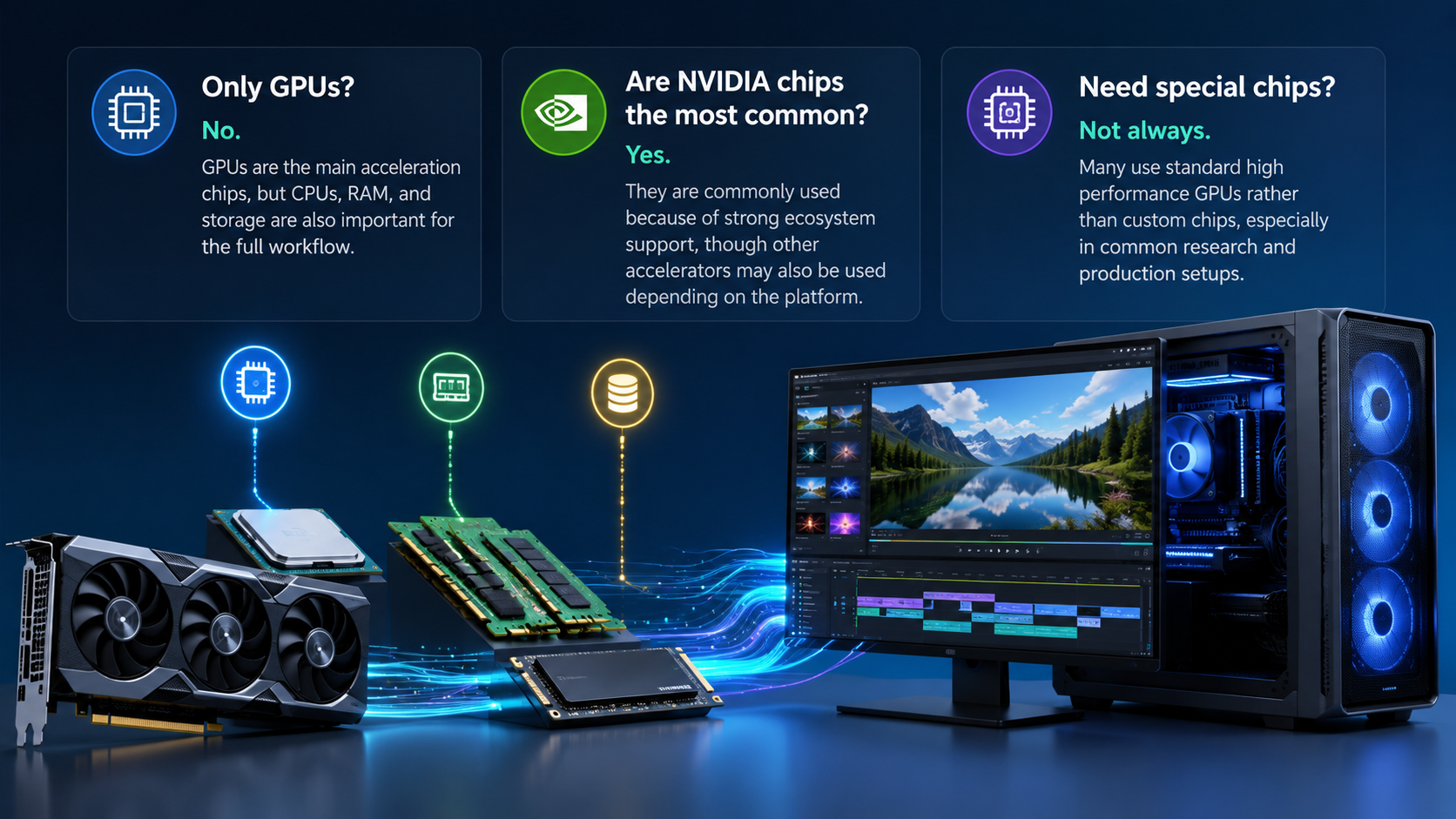
Do AI video generators need special chips?
Not always. Many use standard high-performance GPUs rather than custom chips, especially in common research and production setups.
Is more GPU power always better?
Not necessarily. More power helps, but only if the rest of the system can support it and the workload actually needs it.
What matters most when buying hardware for AI video generation?
Start with GPU VRAM and performance, then confirm CPU, RAM, storage, and software compatibility.
Conclusion
AI video generators mainly use GPUs, with NVIDIA GPUs often being the most common choice in practice. But the full answer includes the rest of the system: CPU, RAM, storage, and deployment setup. The right chip depends on whether you are training a model, generating videos interactively, or serving many users at scale.
If you are comparing systems, focus on workload fit, memory capacity, software compatibility, and overall pipeline balance rather than chip name alone.