
AI Image
Which Is the Best Image Generator AI?
If you are asking which image generator AI is the best, the honest answer is: it depends on your goal.

If you are asking which image generator AI is the best, the honest answer is: it depends on your goal. The best tool for photorealism, branding, illustration, speed, or editing is not always the same. This article helps you compare the main options, understand what matters most, and choose the right image generator AI for your workflow.
What “Best” Really Means in an Image Generator AI
The best image generator AI is the one that matches your use case, not just the one with the most hype. A tool can be excellent at creating artistic visuals but weaker at text rendering, prompt accuracy, or editing. Another may be better for product mockups or marketing content.
Why this matters
Different users need different strengths:
- Marketers often need fast, on-brand visuals.
- Designers may want more control and editing features.
- Creators may care about style, speed, and ease of use.
- Businesses may prioritize consistency and commercial usage terms.
Practical advice
Before choosing, define your main requirement:
- Photorealistic images
- Artistic or stylized images
- Brand-safe marketing assets
- In-app editing and variation control
- Ease of use for non-designers
The Main Types of Image Generator AI
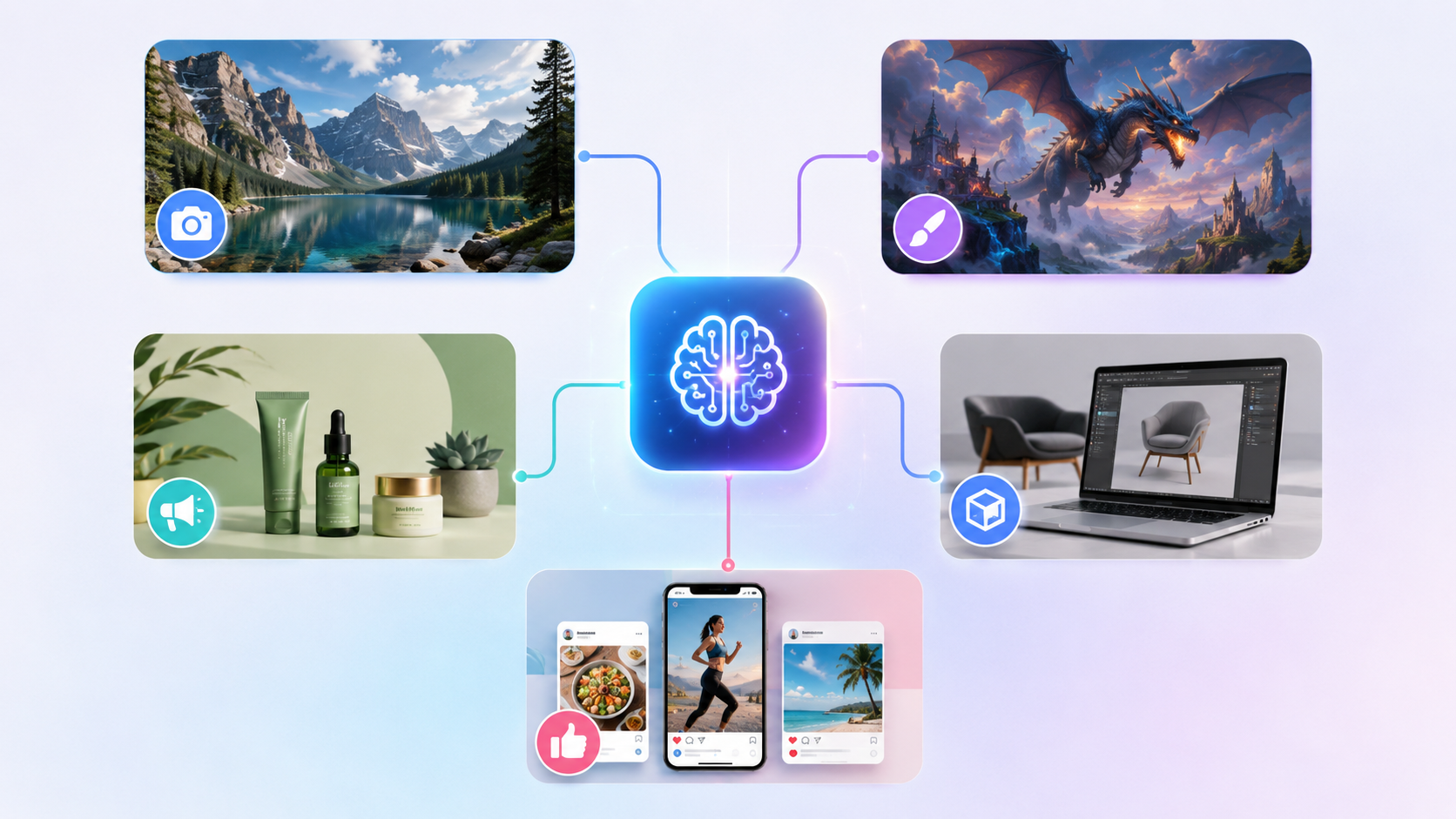
There is no single winner for every task. Instead, the best tool usually falls into one of a few categories depending on how you plan to use it.
| Use case | What to look for | Best-fit tool type |
|---|---|---|
| Photorealism | Detail, lighting, realism | High-fidelity generators |
| Creative art | Style variety, visual imagination | Artistic generators |
| Marketing content | Speed, consistency, easy edits | All-in-one design tools |
| Product mockups | Clean layouts, control over composition | Design-focused generators |
| Social content | Fast output, templates, resizing | Platform-friendly tools |
Conclusion
The best image generator AI for your needs depends on whether you value realism, style, control, or workflow speed.
Practical advice
Make a shortlist based on your real use case instead of general popularity. Test each tool with the same prompt to compare output quality fairly.
Key Features to Compare Before Choosing
To answer which is the best image generator AI, you should compare features that affect results, not just marketing claims.
1. Prompt accuracy
A strong generator should follow detailed instructions well. If it ignores key elements, the image may look good but still miss your intent.
2. Image quality
Look for clarity, realistic textures, lighting, composition, and fewer obvious artifacts.
3. Editing and variation tools
Some tools let you refine images, change parts of an image, or generate variations. This is important if you need more than a first draft.
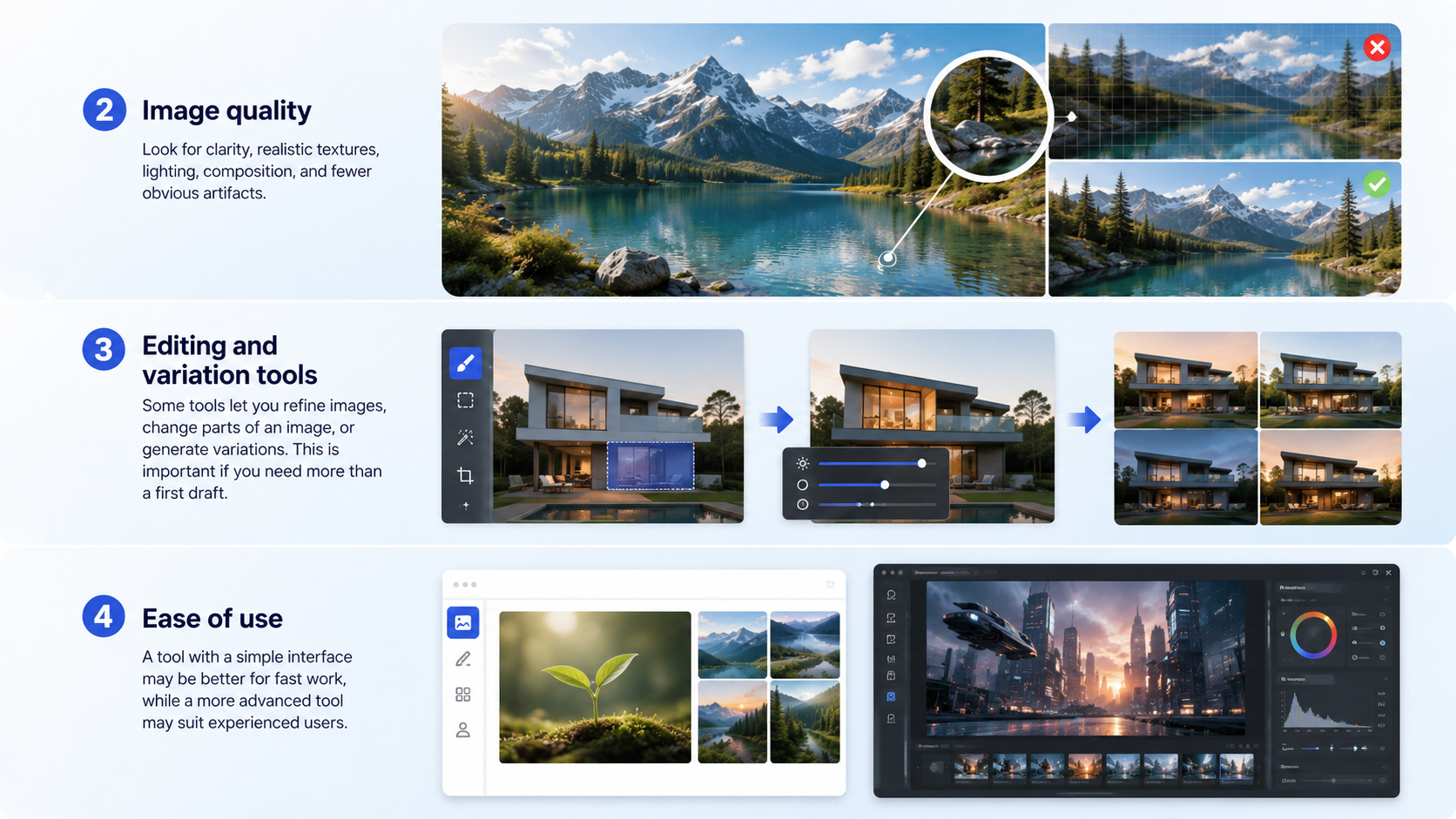
4. Ease of use
A tool with a simple interface may be better for fast work, while a more advanced tool may suit experienced users.
5. Commercial use and workflow fit
If you plan to use generated images in business, check the platform’s usage terms and how well it fits your production process.
Conclusion
The best image generator AI should save time, produce usable results, and support your intended output style.
Practical advice
Create a simple checklist and score each tool on:
- Output quality
- Prompt accuracy
- Editing flexibility
- Ease of use
- Fit for your use case
How to Choose the Best Image Generator AI for Your Needs
The best choice is usually the one that performs well in your most important category. If you mainly need clean marketing images, choose a tool built for that workflow. If you need highly creative visuals, prioritize style flexibility and prompt responsiveness.
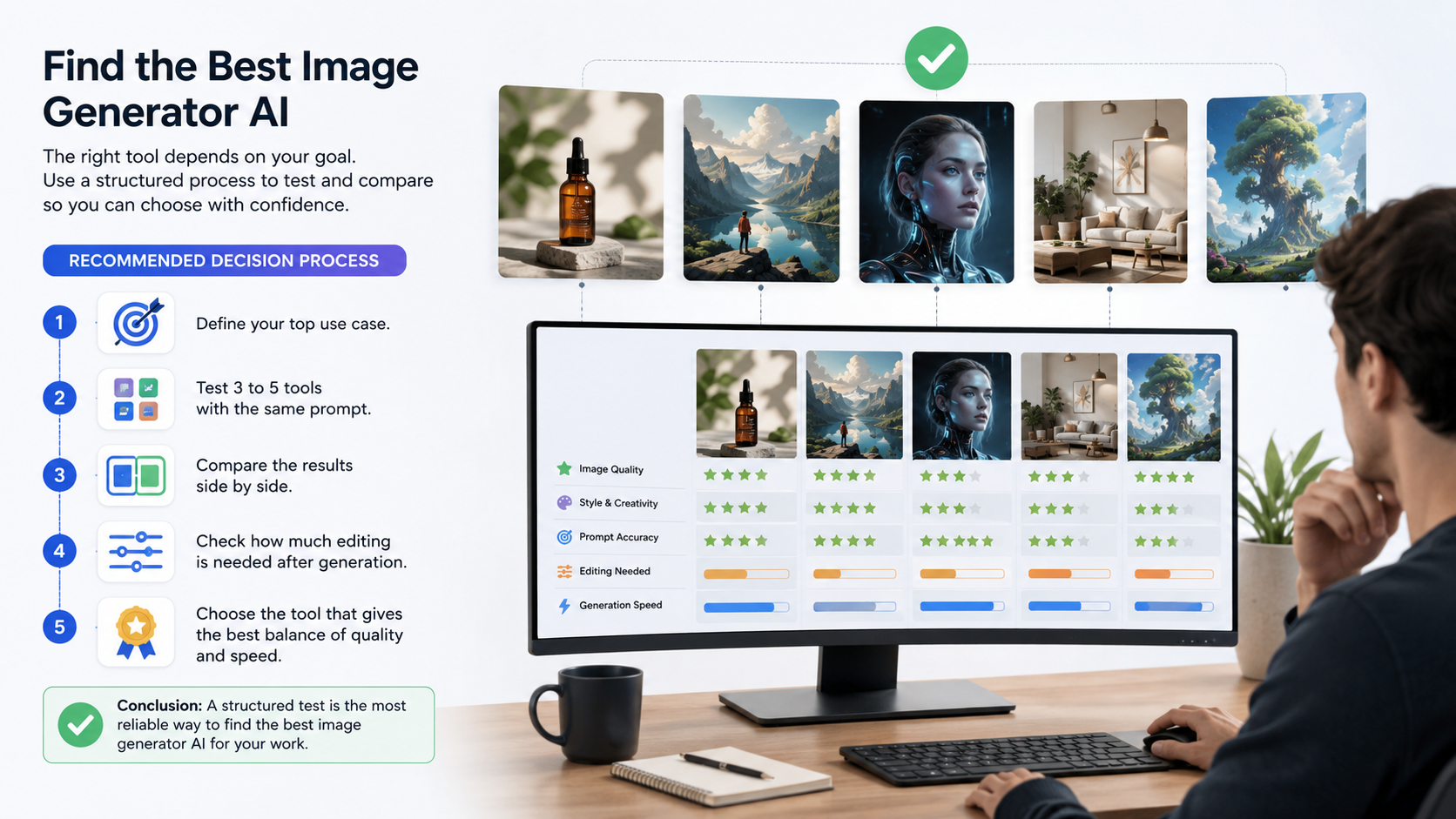
Recommended decision process
- Define your top use case.
- Test 3 to 5 tools with the same prompt.
- Compare the results side by side.
- Check how much editing is needed after generation.
- Choose the tool that gives the best balance of quality and speed.
Conclusion
A structured test is the most reliable way to find the best image generator AI for your work.
Practical advice
Use one prompt that includes:
- Subject
- Style
- Lighting
- Composition
- Intended use
This makes comparisons more meaningful and helps reveal which tool handles detail best.
Final Recommendation: The Best Image Generator AI Depends on Your Goal
There is no universal “best” image generator AI. The best option is the one that consistently gives you the right quality, the right style, and the least amount of rework. For many users, the ideal tool is one that balances image quality with speed and ease of use.
Practical advice
If you are unsure where to start, choose a tool that:
- Produces strong results from simple prompts
- Supports edits and variations
- Fits your content workflow
- Matches your budget and usage needs
FAQ
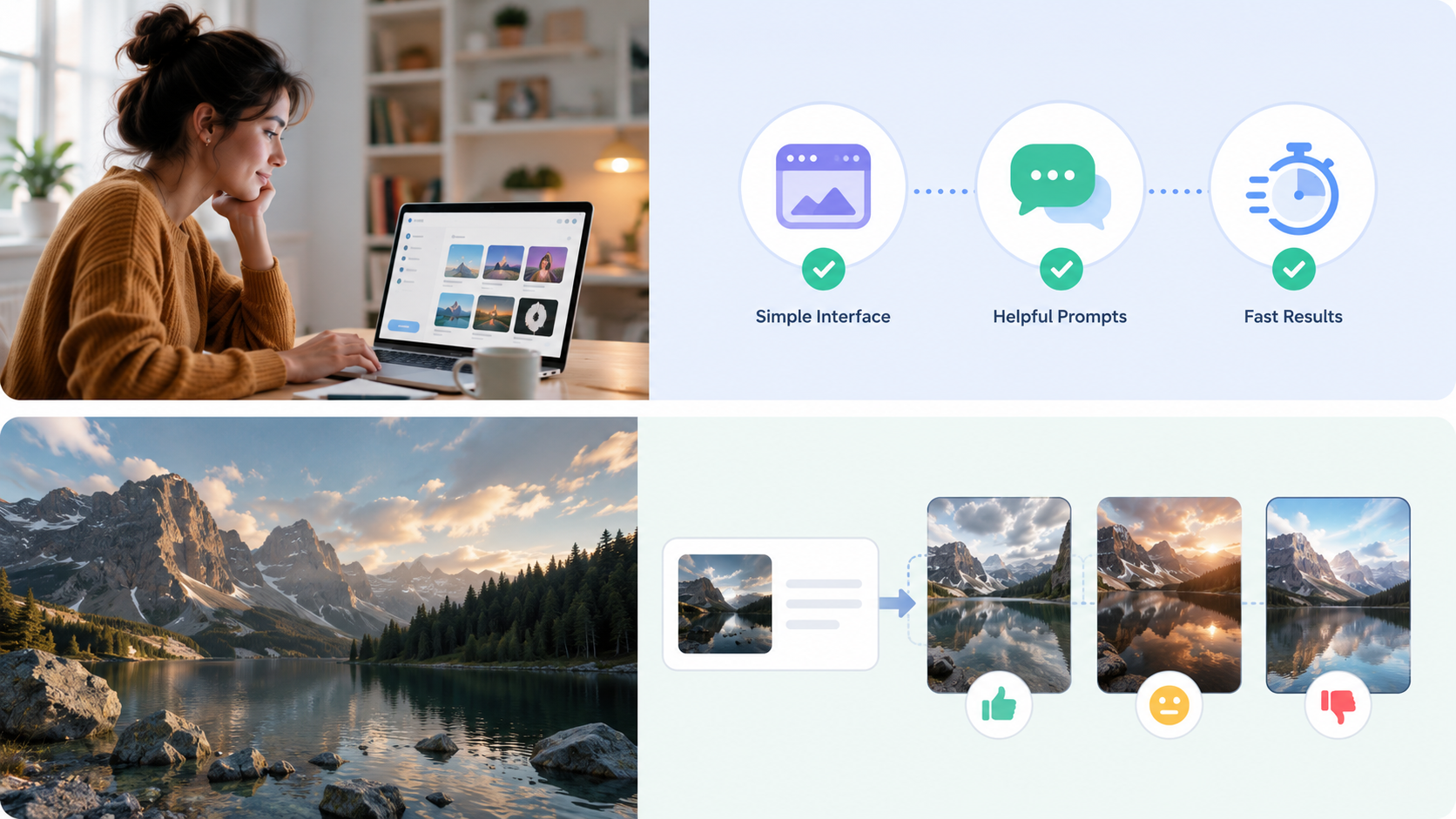
Which is the best image generator AI for beginners?
The best option for beginners is usually the one with a simple interface, helpful prompts, and fast results. Ease of use matters more than advanced controls at first.
Which image generator AI is best for photorealistic images?
The best choice for photorealism is typically a generator that handles lighting, textures, and detail well. Test several tools with the same realistic prompt to compare.
Which image generator AI is best for marketing?
A marketing-focused tool is often best because it supports speed, consistency, and easy resizing or editing for campaigns and social content.
Is there one image generator AI that is best for everything?
No. Different tools excel at different tasks. The best one for you depends on whether you need realism, creativity, editing, or workflow efficiency.
How should I compare image generator AIs?
Compare them using the same prompt and evaluate output quality, prompt accuracy, editing options, ease of use, and how much post-editing is required.
Conclusion
If you want to know which is the best image generator AI, the most accurate answer is that the best tool depends on your specific goal. Focus on prompt accuracy, image quality, editing flexibility, and workflow fit. Once you define your use case and test a few tools side by side, the right choice becomes much clearer.
To try these ideas on your own material, start with text to image or image to image editing.